
When viewing the Organisation Chart in ESS, users will notice that the Print Organisation Chart button is greyed out:
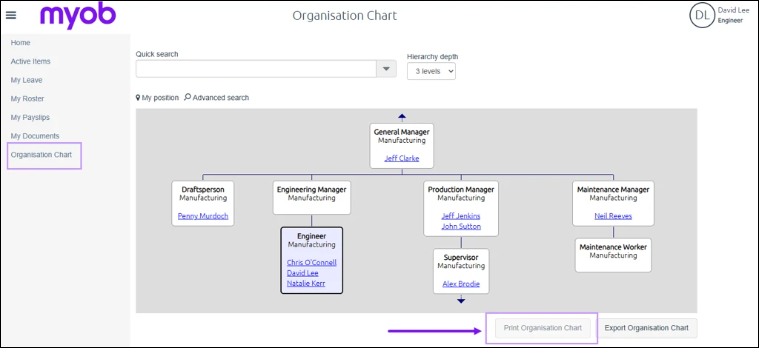
Historically, the Print Organisation Chart function was not available in Google Chrome, but was available in other browsers like Firefox or Internet Explorer.
Unfortunately, since Flash Player is no longer supported, the Print Organisation Chart function now no longer works in other browsers either.
However, there are a couple of alternatives:
-
Use the Export Org Chart functionality in ESS instead, which will allow the Org Chart to be saved in CSV format. Please note, this will require a third-party application, such as Visio, to meaningfully display the information.
-
Use the Org chart within the PayGlobal application to generate a report and print from there. Please note that, due to the nature and size of org charts, you might need to span it over multiple pages.
To get to the Org chart in PayGlobal:
-
Right click on any employee and select "View Org Chart":
-
In the window that appears, set ‘Entity’ = “Work Area Position” and ‘View’ = “Appointments”, then click “Go!”
-
More information regarding the Org Chart in PayGlobal can be found in Help Topic 1785 – available here.