
Follow these steps to add (or remove) allowances for an employee in ESS (Employee Self Service):
-
Identify the ESS Security Profile in WAP
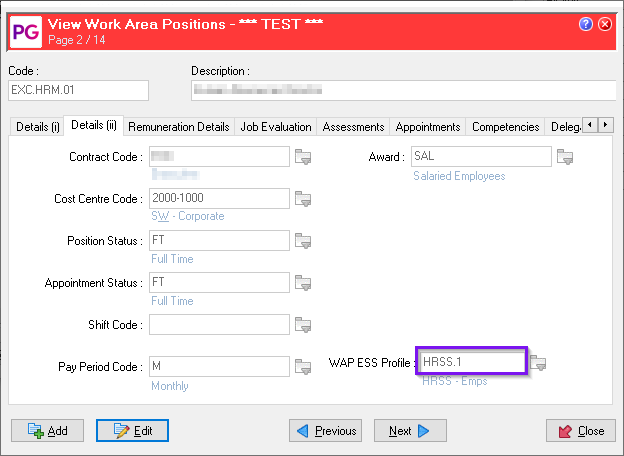
Check the WAP (Work Area Position) to determine which WAP ESS Profile is being used.
-
Locate the Security Profile
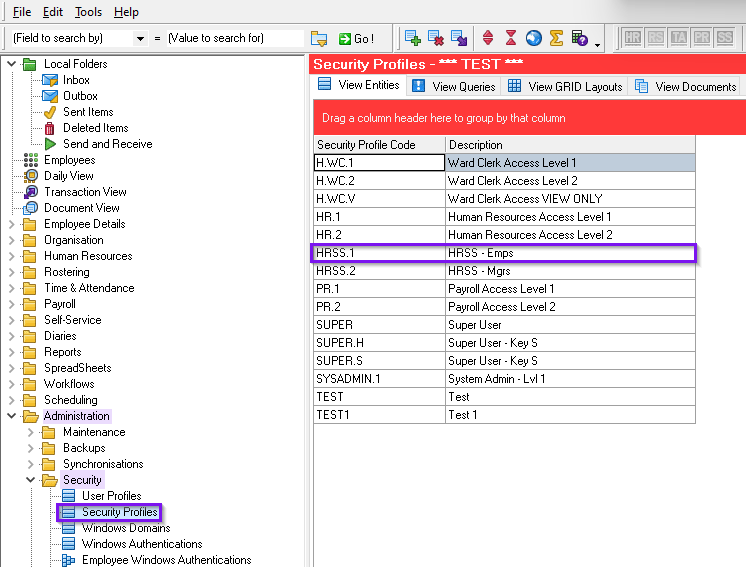
Navigate to Administration > Security > Security Profiles.
Find and select the relevant security profile linked to the ESS profile you identified.
-
Check the Allowances Security Query
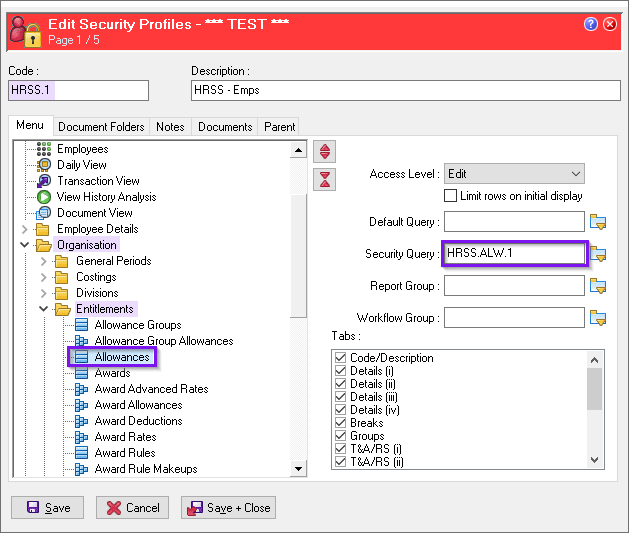
Open the selected security profile, then go to Organisation > Entitlements > Allowances.
Review the Security Query associated with the Allowances GRID for this profile.
-
Find the Security Query in Allowances
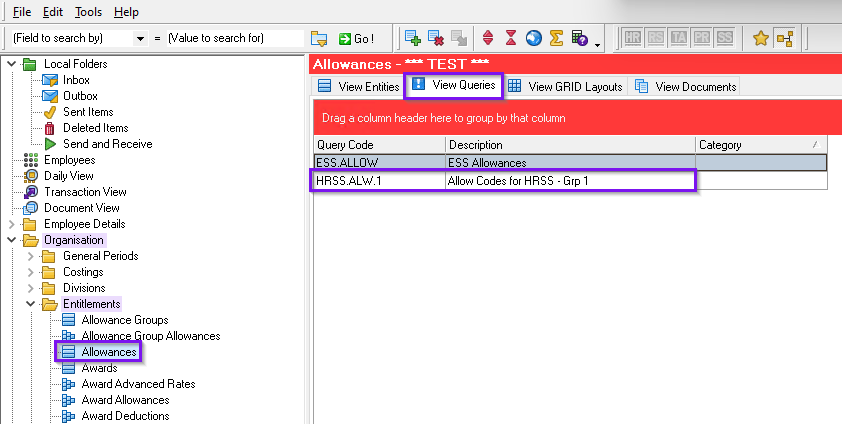
Go to Organisation > Entitlements > Allowances and click on the View Queries tab.
Locate the Security Query you identified in the previous step.
-
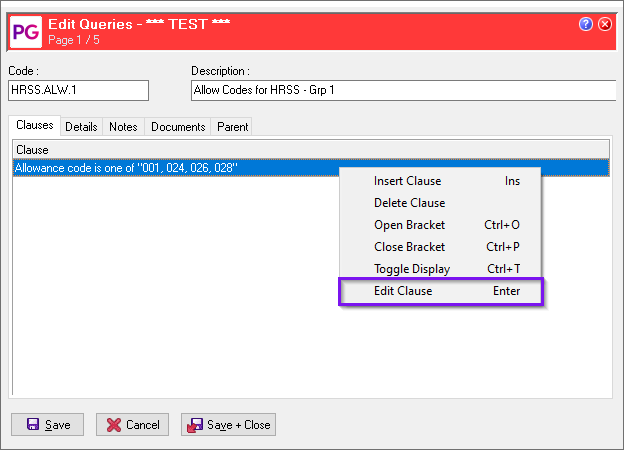
Edit the Query Clause
Select the relevant query, switch to Edit mode, and choose Edit Clause.
-
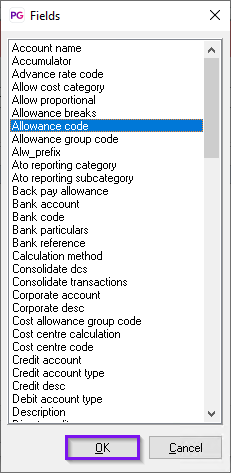
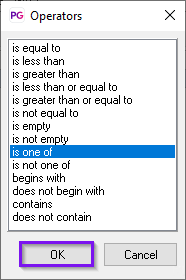
Review and Confirm Clause Fields
On the clause fields and operators screen, no changes are usually required. Simply click OK to continue.
-
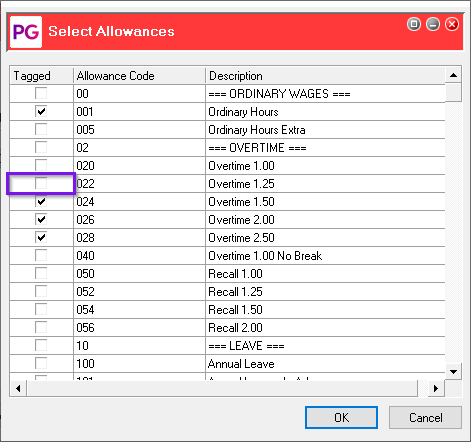
Select Additional Allowances
In the Select Allowances screen, tick or untick the boxes for the allowances you want to add or remove.
Once finished, click OK.
-
Save Changes
You’ll see the updated Clause reflecting your new selections.
Choose Save + Close to apply the changes.