
To add a new Leave reason in ESS, the leave reason should already exist in PayGlobal.
To check, please go to Organisation > Common Reasons > Reasons.
If you require assistance setting up the reason, we recommend engaging a PayGlobal Consultant to do this for you.
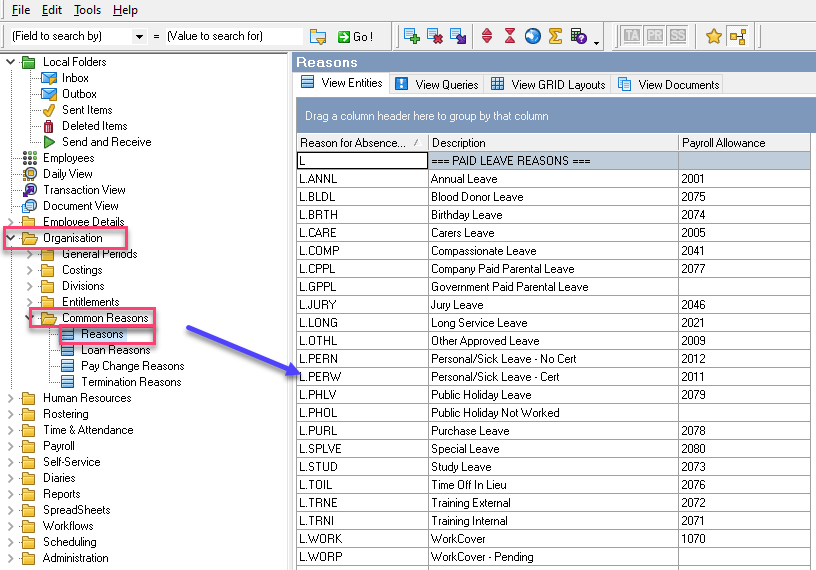
If the reason already exists, you will need to:
-
Go to Organisation > Common Reasons > Reasons;
-
Click on View Queries;
-
Double click on your ESS Leave Reasons query (example below);
-
Edit the clause to include the new leave type.
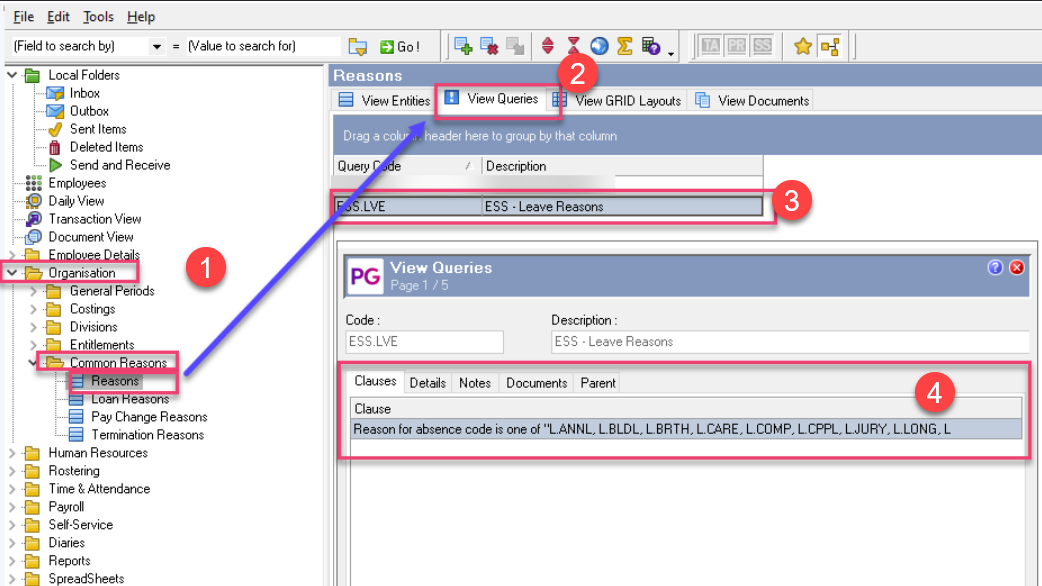
To edit the clause you need to edit the clause itself and pick the reason as there is no typing involved.
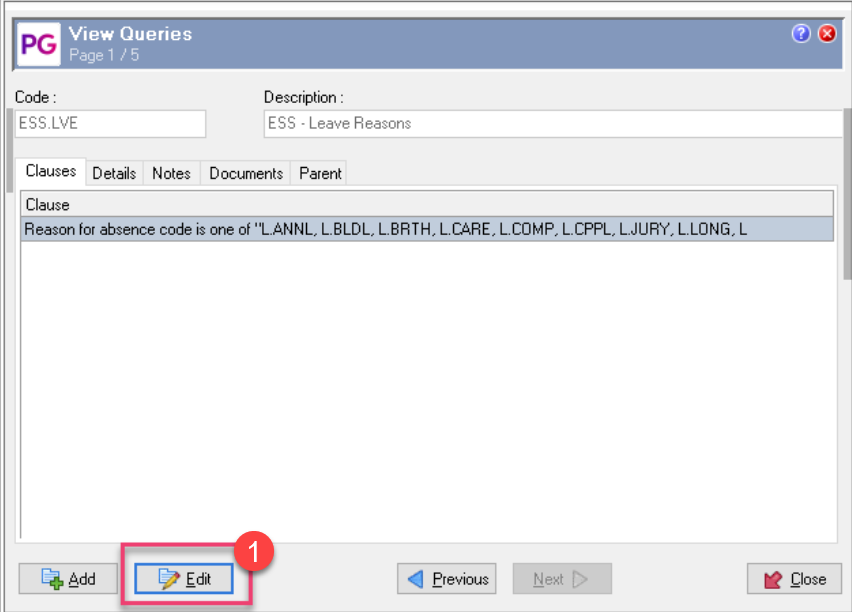
Using an example below:
-
Click on Edit
-
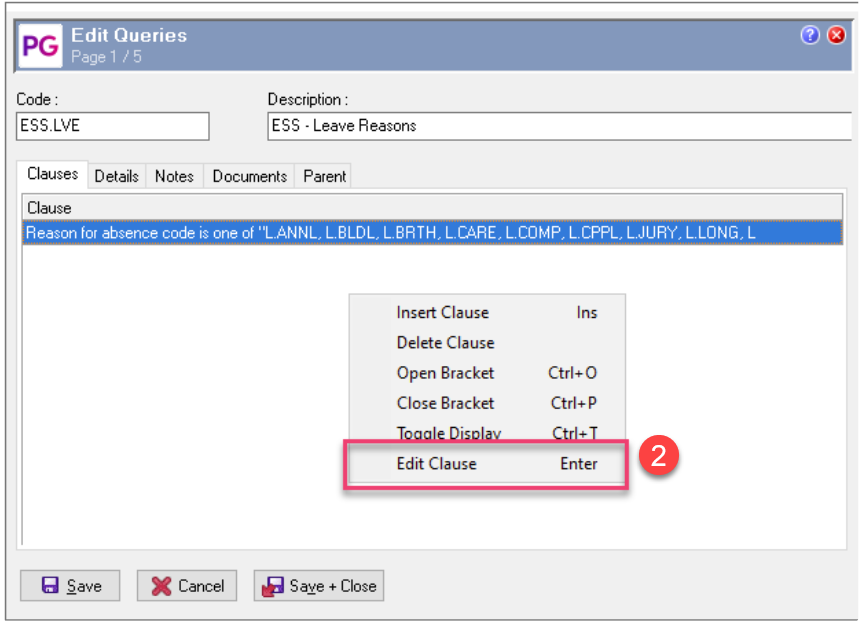
Right Click and click on “Edit Clause”
-
Make sure the “Fields” remain the same> Click Ok
-
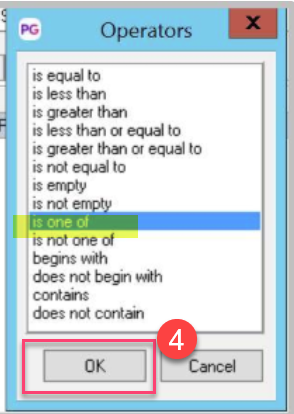
Make sure no changes in the “Operator” are made> Click Ok
-
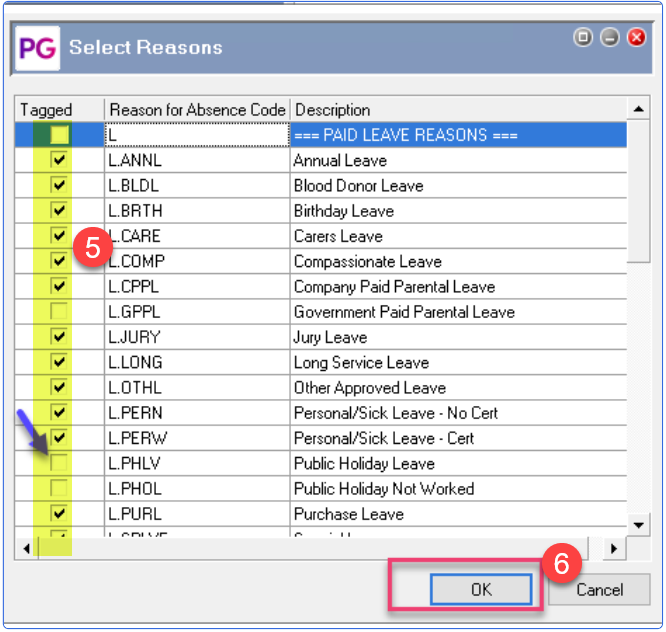
Select the new reason from the options by putting a tick mark next to the new Leave reason
-
Click Ok and Save
The steps above will add the leave type as a Leave Reason in ESS, but will not automatically allow the employees to see the balance of the leave type in ESS – this will need to be done through the ESS Workflow Designer by a consultant.