
In cases where a manager is away, some of the ESS tasks and functions can be delegated to another employee using the Delegation feature in ESS.
Delegation assignment can be done through two ways:
Method 1 - The delegation can be done through the manager’s WAP in PayGlobal.
-
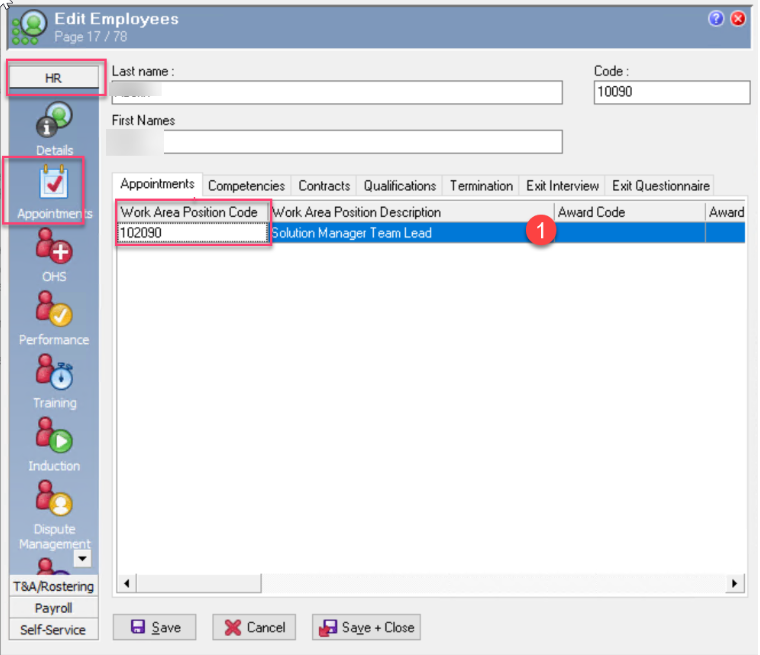
Navigate to the Manager’s WAP by going to the manager’s profile in PayGlobal>HR>Appointment
-
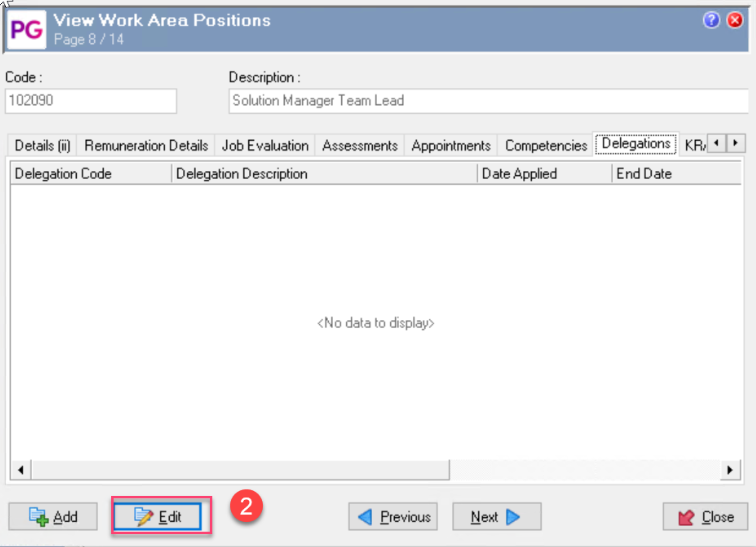
Press Ctrl+Enter on the manager’s WAP to open the WAP details>click Edit at the bottom
-
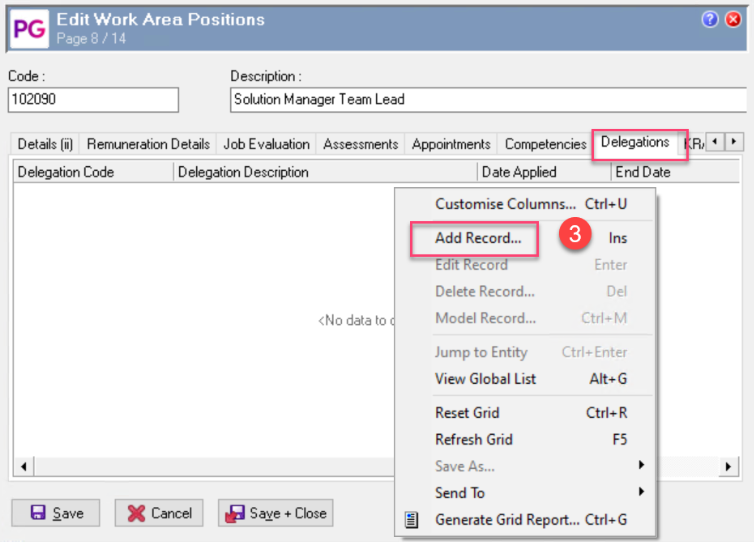
Right+Click on the Delegation Tab>Add record
-
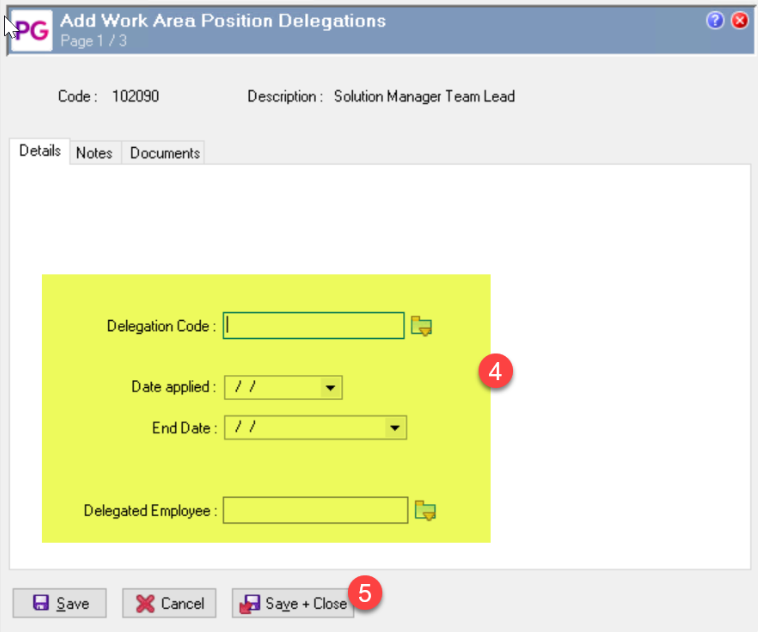
Supply the information need including the Delegated Employee
-
Save and Close.
Method 2 - Delegation can also be done through Employee Self Service.
See help link below for step by step details:
ESS Payroll Manual - Delegations
Delegation Code Set-up
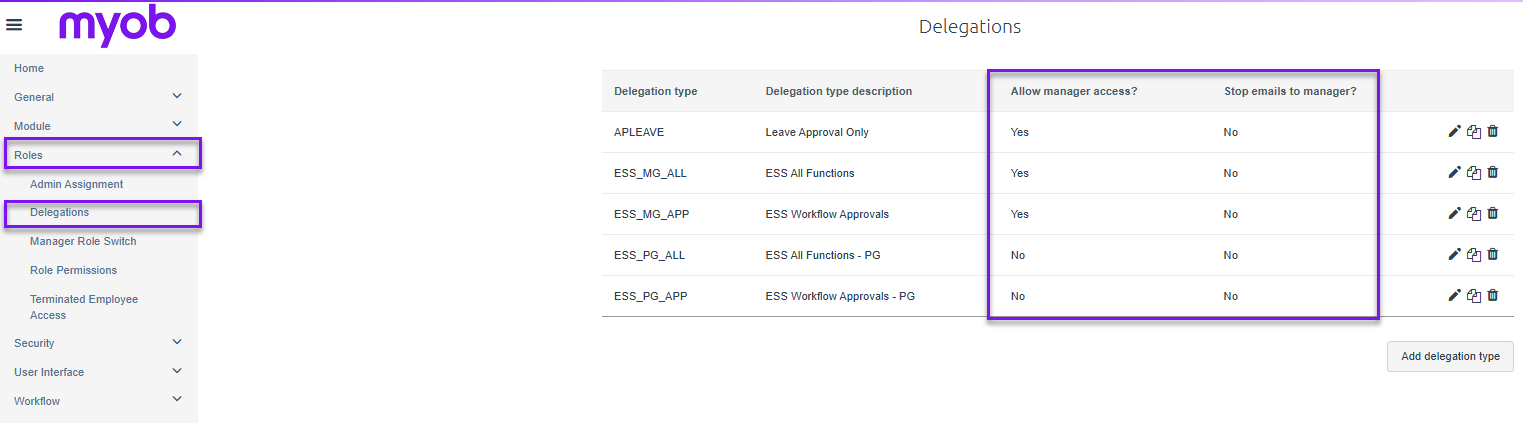
The actual delegation behavior is set-up in the client’s ESS admin Website under Roles>Delegations. Two key areas that will determine how the delegation function in terms of emails and delegation modification are under the Allow Manager Access and Stop Emails to manager sections.
In ESS delegation setup:
-
Allow Manager Access
-
Yes: the manager can see, edit, or delete that delegation in ESS.
-
No: the delegation can still be created in PayGlobal and apply in ESS, but managers cannot view, edit, or delete it in ESS. This is generally used for permanent or controlled delegations.
-
-
Stop Emails to Manager
-
No: the original manager continues receiving workflow emails, as does the delegate where applicable.
-
Yes: emails are stopped for the original manager and sent only to the nominated delegate.
-
-
A Delegation cannot be delegated. A person that has been delegated an ESS task cannot in turn delegate those task to another person.
-
A Delegate will always see their original role as well as the delegated role in their ESS.