
The ESS Active Item functionality can be used to review current or historical workflow requests and follow the audit trail of actions, assignments, approvals and transfers
This is dependent on the user’s role thus an employee will only have visibility to its own applications, the manager to its team and the ESS administrator to the entire organisation.
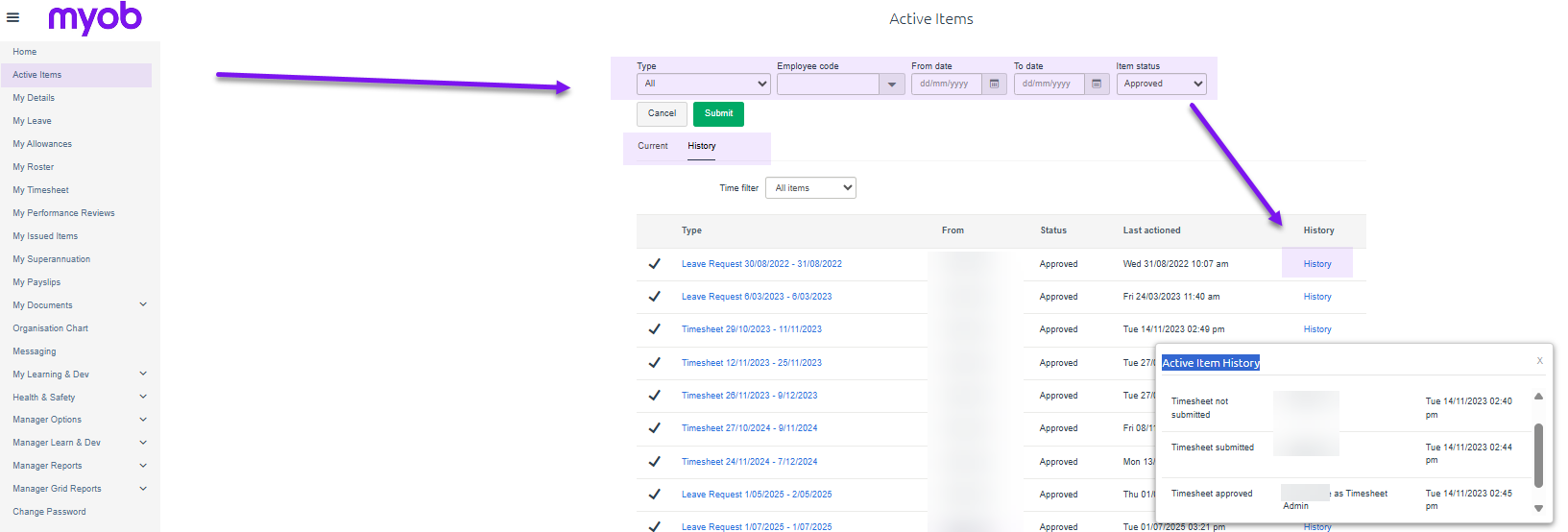
The Active Item menu is located on the top left corner and would provide you with various filtering options to limit your search and whether for a current or historical workflow.
Once the correct workflow has been located, click on the History link which will provide the historical movements and status of the submission
More details on Active Items usage can be seen in the relevant role manuals located in Self-service