An employee not able to view their payslips in ESS are usually attributed to the following reasons:
-
Missing ESS profile in the Employee’s WAP
The employee may receive this error:

-
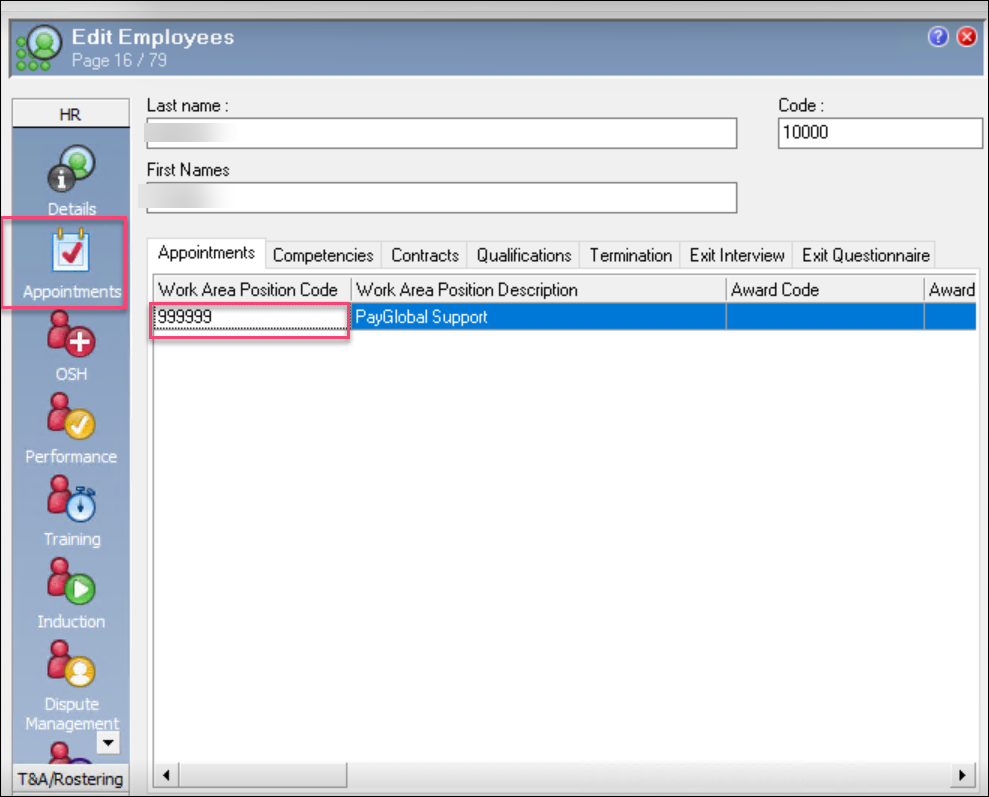
Navigate to the Employee’s WAP Appointment
-
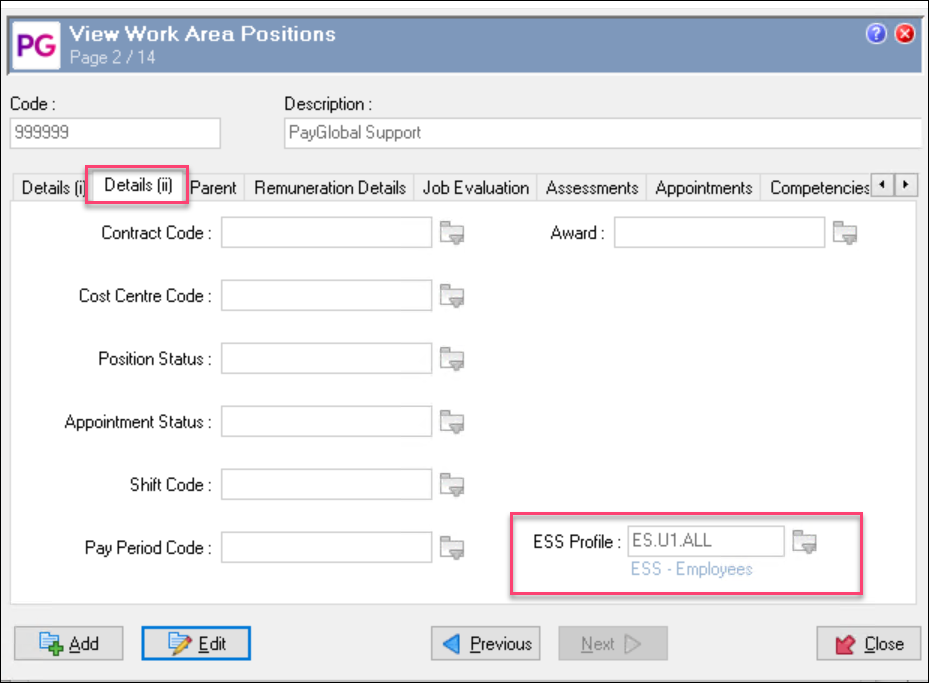
Press Ctrl+ Enter on the WAP, go to Details (ii) tab and ensure that the correct ESS profile is assigned
-
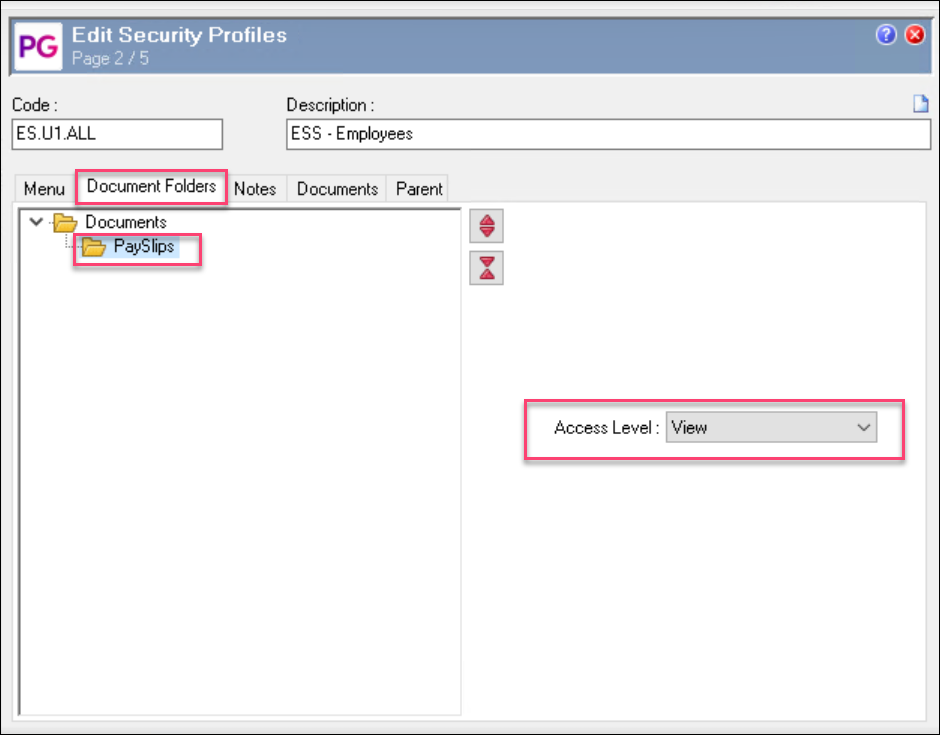
The ESS profile attached to the WAP has incorrect access.
From the last step in item 1, Ctrl +enter on the ESS profile, Navigate to Document Folder and Ensure that the Payslip Folder has View Access