
You might see an Overlapping shift alert, without an obvious cause. For example, below Bob is showing an Overlapping Shift alert, but there’s only 1 timesheet in the system for that day.
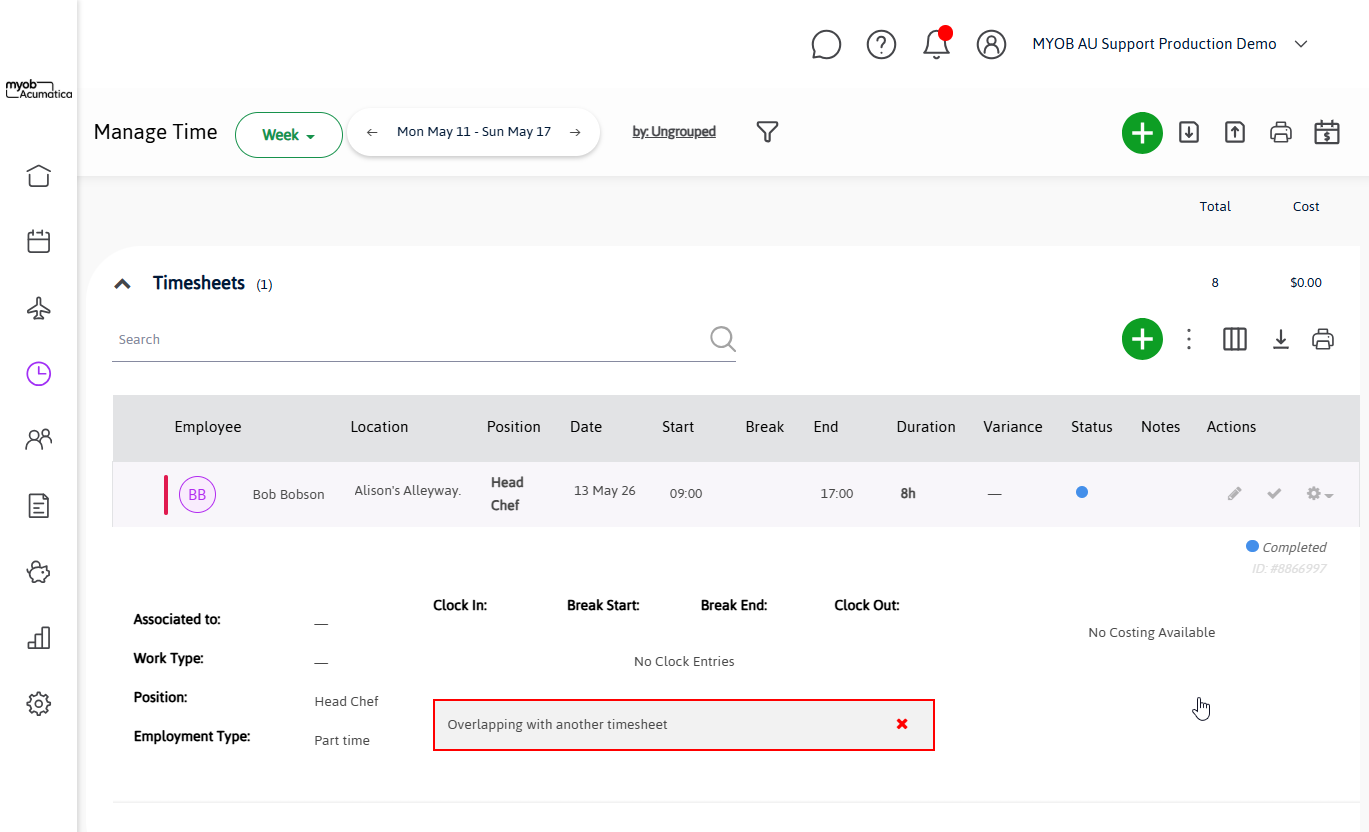
An overlap alert in this case will be caused by a timesheet on a previous date that stretches into this day.
Usually this happens due to an error with the Year that a shift starts on.
To determine the cause of the alert, you’ll need to find the timesheet that causes it.
Recommended process for finding the cause:
-
Check for timesheets in previous years that continue through this period.
The easiest way to do this is to change the Dates being shown to a very wide range before you started using Workforce Management. An example is by clicking the below link:
https://app.advancedteam.myob.com/timesheets/1900-01-01/2021-12-31
You would search for any timesheets entered between 1900 & 2022.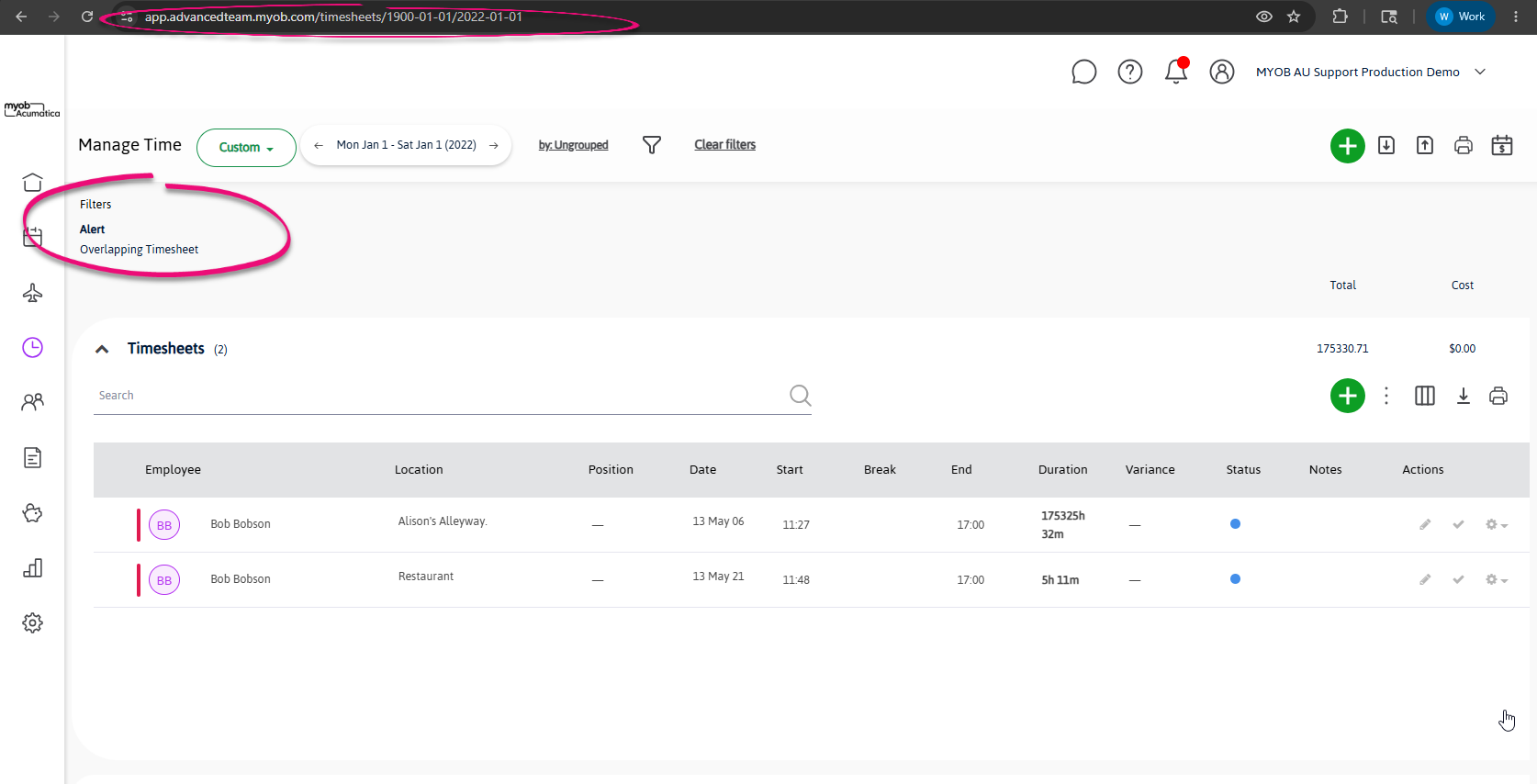
-
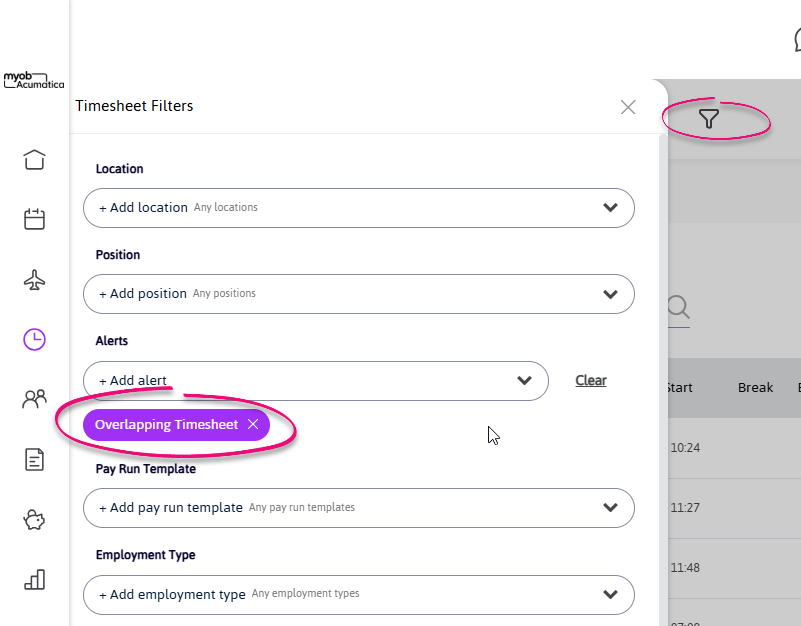
If there are a lot of results, use the Filters button to turn on the filter for Alert: Overlapping Timesheet
-
Look at any timesheets you find that are old and unprocessed. These should all be resolved.
-
If this doesn’t fix the issue for you, try going forward, again filtering for Alert: Overlapping Timesheet.
-
This screen may take a long time to load if you have processed a lot of timesheets, so you may need to use Month-by-month, or change your Location to a smaller location that includes fewer employees.
-
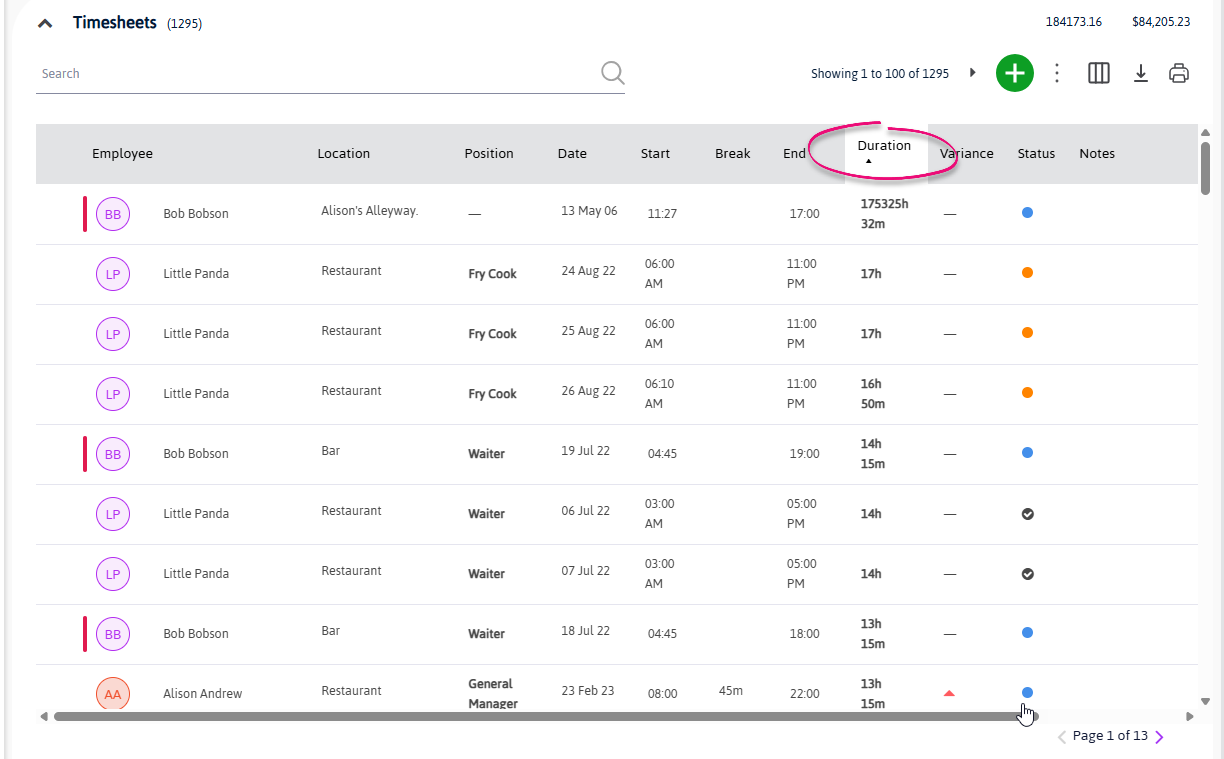
Remember, you’re looking for timesheets with a long duration, so you can also sort your timesheets from longest to shortest by clicking on the Duration column twice:
-