
Some users may see a spinning circle when they open the Support Portal in Microsoft Edge. The page may continue loading without displaying the Portal:

To resolve, add the Support Portal URL as an exception in Microsoft Edge:
-
Open Microsoft Edge and select Settings and more (•••).
-
Select Settings.
-
Select Privacy, search, and services.
-
Under Tracking prevention, select Balanced. Do not use Strict.
-
Scroll down to Exceptions and select Add a site.
-
Enter
https://enterprisesupport.myob.com/requests-view, then select Add.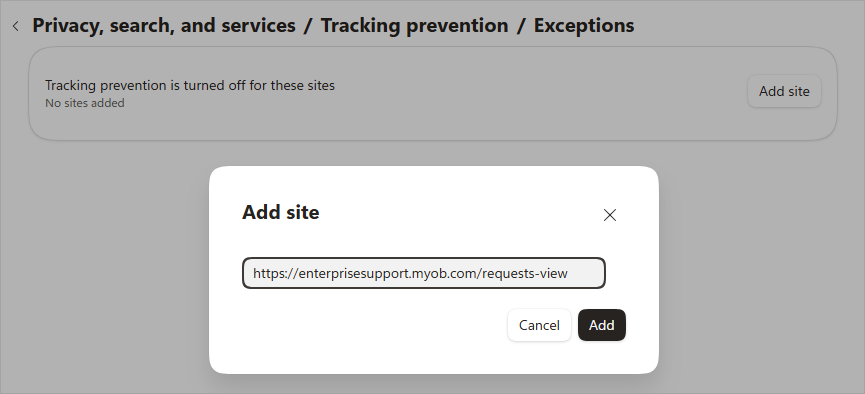
-
Close and reopen the Support Portal.
Your organisation may manage Microsoft Edge settings centrally. If the workaround allows you to access the Portal, please contact your IT team and ask them to approve the Support Portal URL at a system level. This can help prevent the same issue for other Portal users.
Instructions on creating a Support Portal ticket can be found here:
Create a support request - MYOB PayGlobal