
The 2026.01 release updates MYOB Exo Employer Services to comply with government requirements for the 2026–2027 financial year, including Payday Super. You don't need to wait until the new financial year to install this release, as the compliance changes won't be activated in the product until 1 July 2026.
We’ve also resolved a display issue on the Termination Wizard.
For detailed instructions on preparing for the end of the 2025–2026 financial year, see the end of financial year processes page.
Installing this release
Pre-install requirements
Requirements for PCs running Exo Employer Services components are detailed on the Minimum System Requirements page.
Installing Exo Employer Services
Check the release
To make sure this release installed successfully, check that the versions displayed on the About window (Help menu > About) match the versions listed here:
-
MYOB Exo Employer Services – 2026.01
-
MYOB Exo Payroll – 2026.01
-
MYOB Exo Employee Information – 2026.01
-
MYOB Exo Time and Attendance – 2026.01
-
Runtime Files – 09.00.0000.7423
New Payday Super features
Payday Super is the ATO's new requirement to pay super on payday, and it starts on 1 July 2026. We’ve added new features to help you stay compliant.
Setting transaction types as qualifying earnings
We have added a new Qualifying Earnings screen, which you can access by going to Maintenance > Single Touch Payroll > Qualifying Earnings. This screen lets you choose if a pay item is included in the year-to-date qualifying earnings value reported in the STP file from 1 July 2026.
The screen also opens whenever you log in after upgrading. If you don’t want it to open when you log in, select the Don’t show this again checkbox at the bottom of the window.
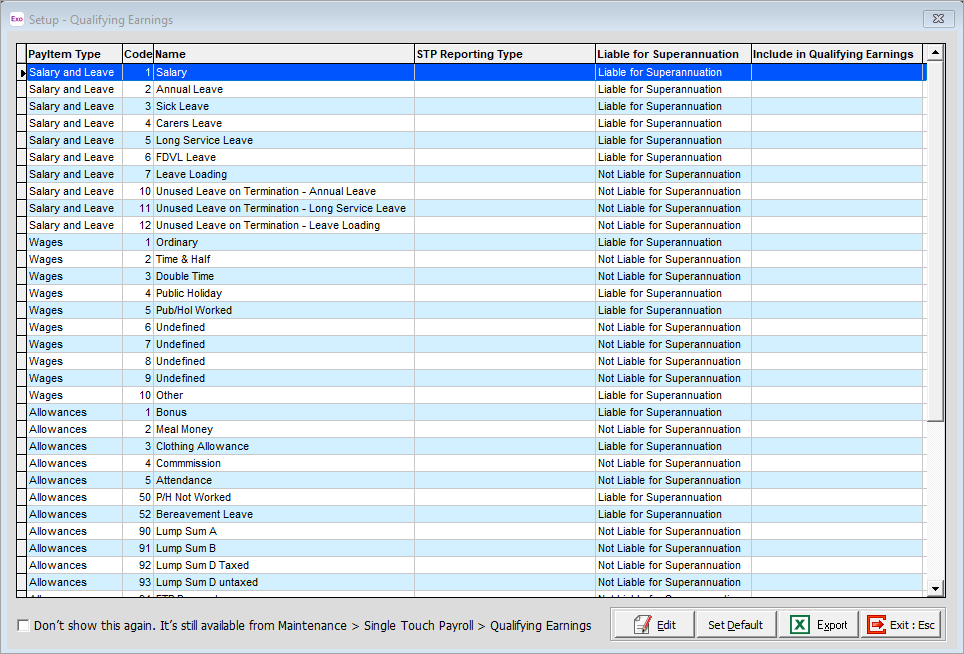
There are two ways to set the Include in Qualifying Earnings field on the new screen:
-
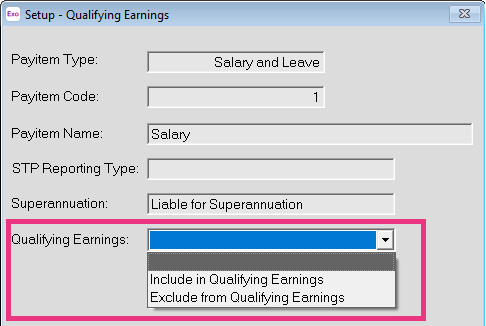
Individually – Double-click a pay item or click Edit to open the Setup - Qualifying Earnings window. In the pop-up window, in the Qualifying Earnings dropdown, choose to either include or exclude the pay item.
-
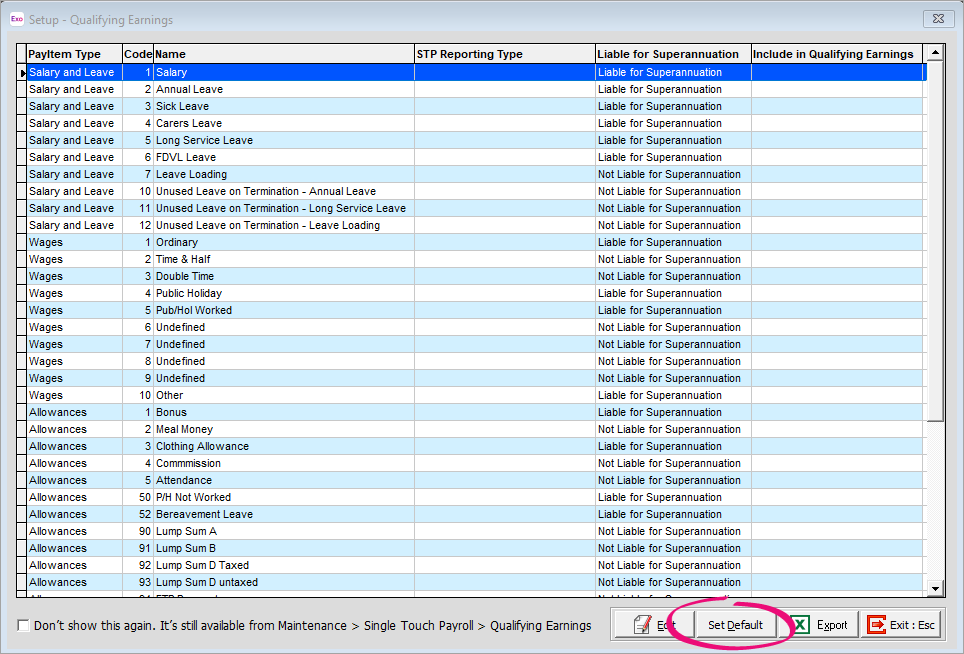
In bulk – Click Set Default. This includes all pay items marked as Liable for Superannuation in qualifying earnings and excludes all pay items marked as Not Liable for Superannuation. Setting in bulk does not update any pay items you previously set individually.
Updated superannuation summary report
The Superannuation Summary report now includes qualifying earnings amounts.
WPN holders reporting STP must use authorised representative
From 1 July 2026, if your company has a withholding payer number (WPN) and chooses to report in Single Touch Payroll (STP), you must lodge through an authorised representative – like a registered tax agent or BAS agent.
For more details about what’s changed and what your options are, see the ATO website.
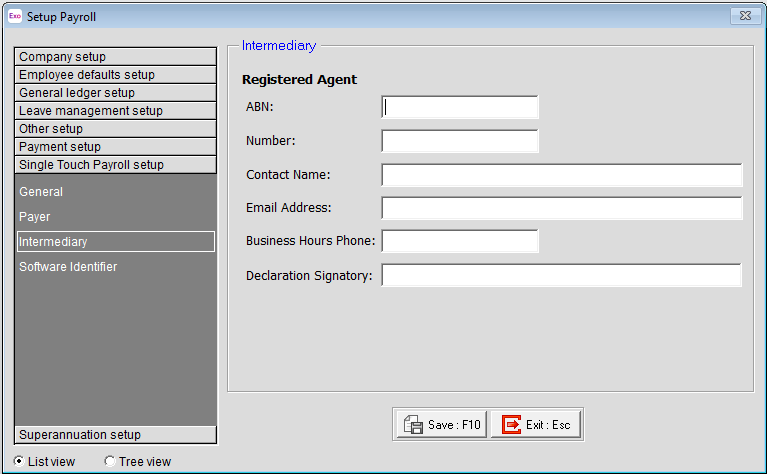
To add the details of your representative in Exo Employer Services:
-
Go to Utilities > Setup EXO Payroll.
-
Click the Single Touch Payroll setup button.
-
On the Intermediary screen, enter your representative's details.
Tax and compliance changes
PAYG
For Australian residents, tax rates have changed. On income between $18,201 and $45,000, the rate has reduced from 16% to 15%.
The following table explains how much tax is paid on different incomes. The table doesn’t include the Medicare levy or any low income or middle income offsets.
|
Taxable income |
Tax on this income |
|---|---|
|
0 to $18,200 |
Nil |
|
$18,201 to $45,000 |
15 cents for each $1 over $18,200 |
|
$45,000 to $135,000 |
$4,020 plus 30 cents for each $1 over $45,000 |
|
$135,000 to $190,000 |
$31,020 plus 37% for each $1 over $135,000 |
|
over $190,000 |
$51,370 plus 45% for each $1 over $190,000 |
For non-residents, the following table explains how much tax is paid on different incomes. Non-residents don’t pay the Medicare levy.
|
Taxable income |
Tax on this income |
|---|---|
|
$0 to $135,000 |
30 cents for each $1 |
|
$135,001 to $190,000 |
$40,500 plus 37 cents for each $1 |
|
$190,001 and over |
$60,850 plus 45 cents for each $1 |
Medicare levy surcharge thresholds
From July 1 2026, Medicare levy surcharge thresholds are increasing. For details of the changes, see the ATO Medicare levy surcharge income, thresholds and rates page.
ETP changes
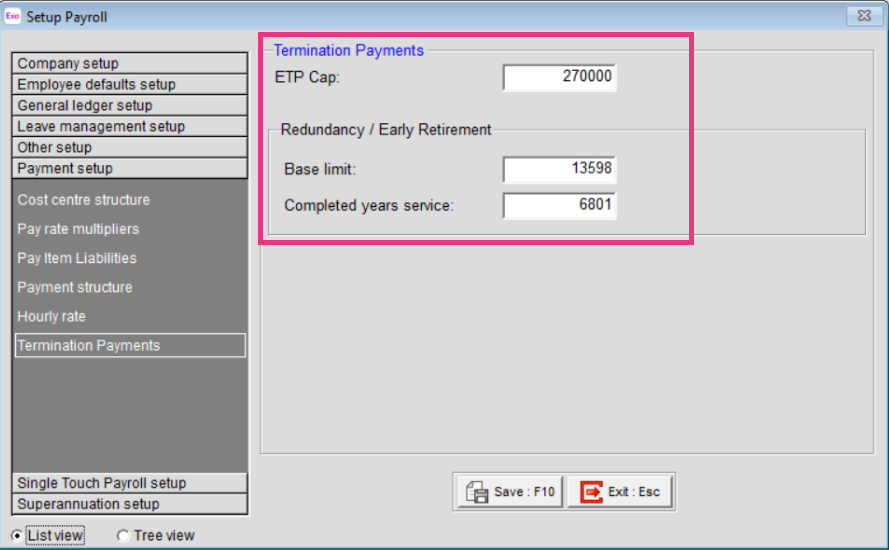
Employment Termination Payment (ETP) threshold amounts have changed as follows for the 2026–2027 financial year:
|
Amount |
Old value |
New value |
|---|---|---|
|
ETP cap |
$260,000 |
$270,000 |
|
Base limit |
$13,100 |
$13,598 |
|
Completed years service |
$6,552 |
$6,801 |
New companies created in the 2026–2027 financial year will be given these values by default. For existing companies, you must manually edit the values in the Payment setup > Termination Payments section of the Setup Payroll screen.
Child support deductions
From 1 January 2026, the Child Support Protected Earnings Amount (PEA) changed as follows:
|
Frequency |
Amount |
|---|---|
|
Weekly |
$544.88 |
|
Fortnightly |
$1,089.76 |
|
Four weekly |
$2,179.52 |
|
Monthly |
$2,369.26 |
Any new Child Support Deductions created after the installation of this release will contain these values as defaults. However, MYOB Exo Payroll does not automatically update these amounts in existing deductions. You must edit them on the Deductions Maintenance window for each Child Support Deduction (if you have not done so already):
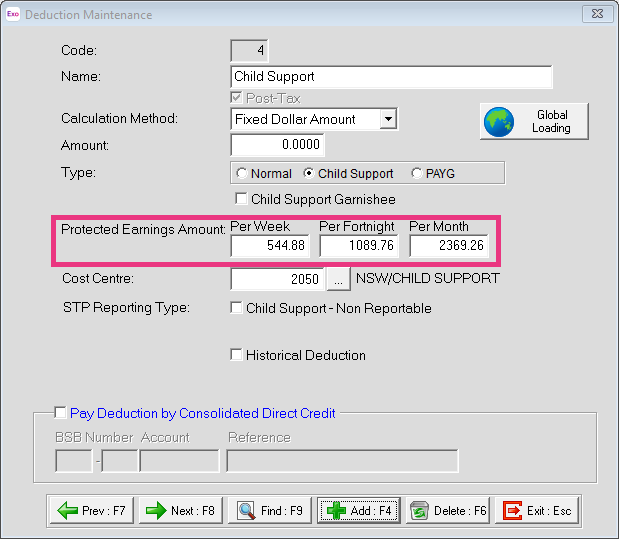
The PEA amounts must be updated as shown for the first pay after 1 January 2026.
Student loans
The minimum repayment threshold is now $69,528. Previously, it was $67,000.
MYOB Exo Employer Services automatically applies the new rates and thresholds for pays with a Physical Pay Date on or after 1 July 2026.
Northern Territory payroll tax
From 1 July 2026, a new payroll tax rate of 6.5% will apply to employers and payroll tax groups with Australia-wide wages of $100 million or more. For all other employers, the payroll tax rate will continue to be 5.5%. The existing $2.5 million annual threshold and the deduction settings remain unchanged.
Australian Capital Territory (ACT) payroll tax
There are changes to payroll tax rates for annual Australia-wide wages of more than $50 million but not more than $150 million.
|
Annual Australia-wide wages |
General rate |
|---|---|
|
More than $1.75 million but not more than $20 million |
6.75 per cent |
|
More than $20 million but not more than $50 million |
6.85 per cent |
|
More than $50 million but not more than $100 million |
7.35 per cent |
|
More than $100 million but not more than $150 million |
7.85 per cent |
|
More than $150 million |
8.75 per cent |
If you’re moving from Exo ES, archive your company
You need to process your finalisation declaration in Exo ES before you archive your company and before your registration expires. For instructions, see STP - Finalisation.
Resolved issue
This release resolves an issue where, after paying an ETP on termination and previewing the ETP payment summary, payment inputs were being cleared from the form.
For MYOB Partners – STP certificate information
Installing this release also adds a new Single Touch Payroll (STP) security certificate. This certificate is valid until 22 July 2027.