
This page will explain how you can make bulk changes to the WAPS in PayGlobal.
We recommend completing this process in your Test database before making the changes in your Live database.
In this example, we will be updating the Parent Code for multiple Work Area Positions (WAP) in the PayGlobal application.
To make a bulk change to the Parent Code in a WAP:
-
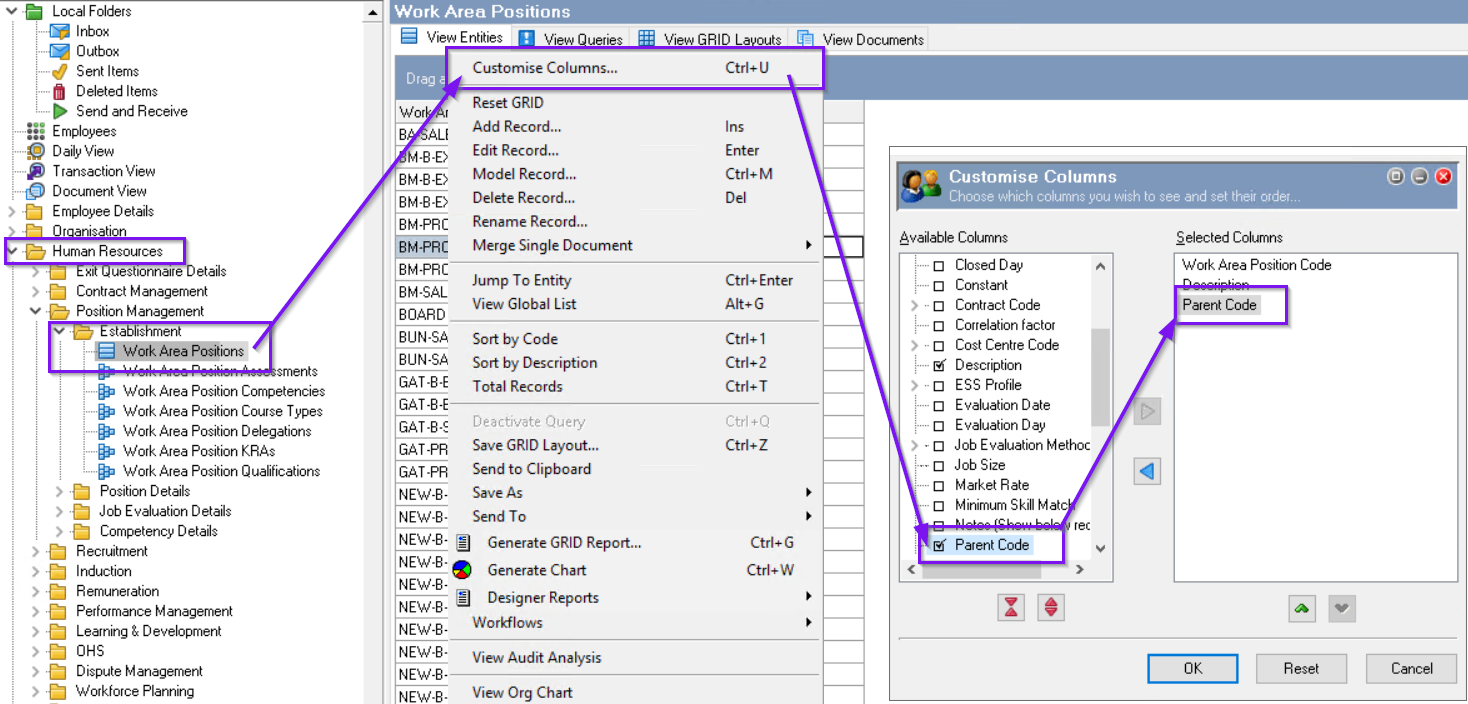
Go to Human Resources > Position Management > Establishment > Work Area Positions
-
Right click in the main body and select Customise Columns...
-
From the Available Columns find and select Parent Code. You will then see it in the Selected Columns section
-
Click 'OK'
-
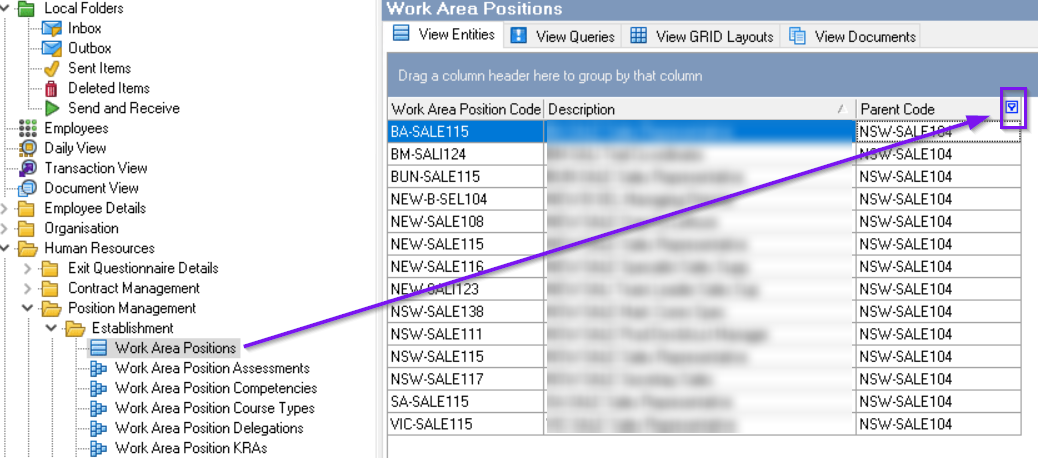
Isolate the original manager's WAP from the Parent Code column. (Click on the arrow and select the Parent code being changed)
-
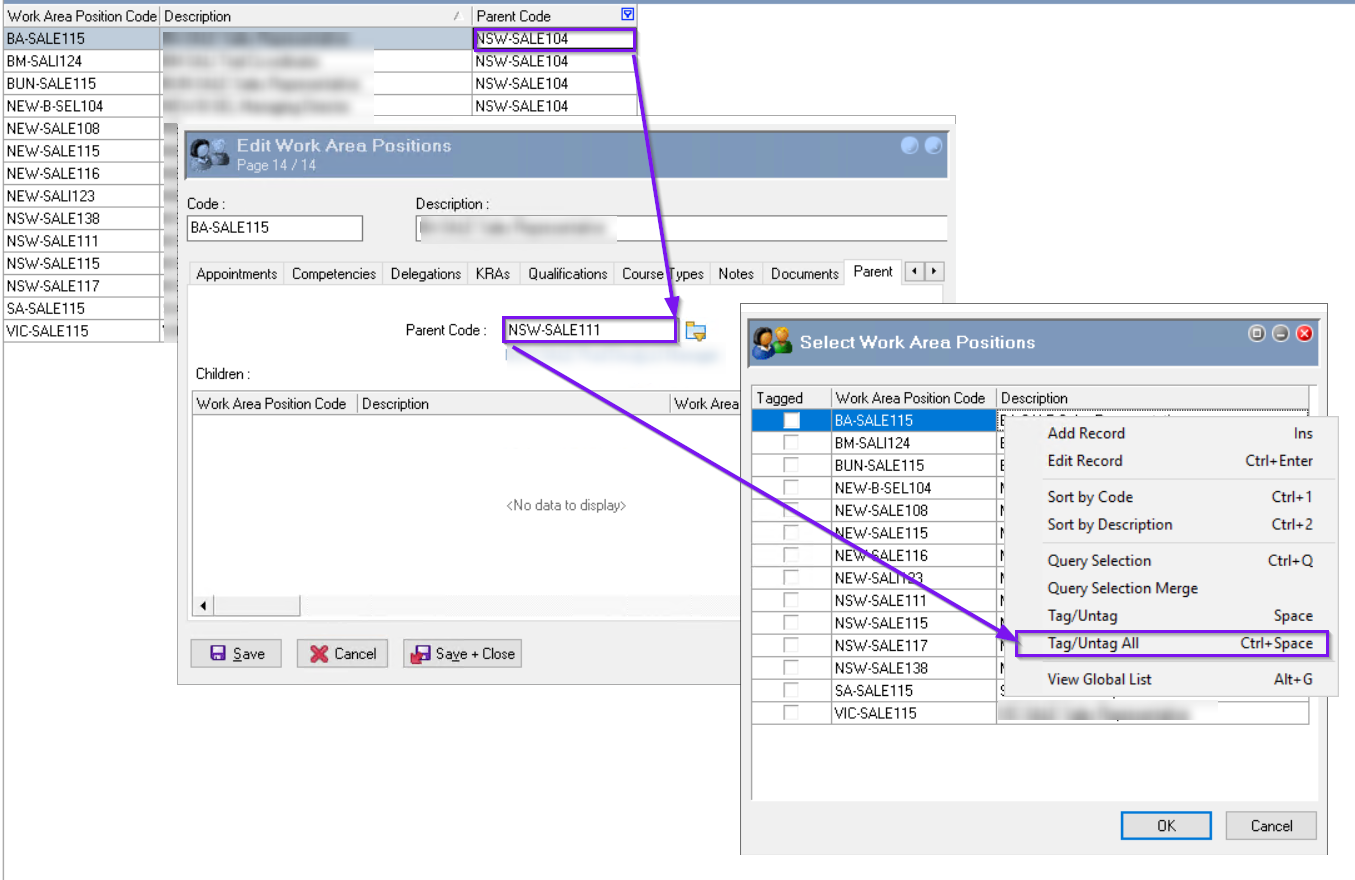
In one of the Work Area Positions, go to the Parent tab and Edit the record.
-
Update the Parent Code field with the new parent code. Then click ‘Ctrl+M' on your keyboard. All the WAPs will pop up for you to select. Right-Click and select 'Tag/Untag All' Click 'OK’
-
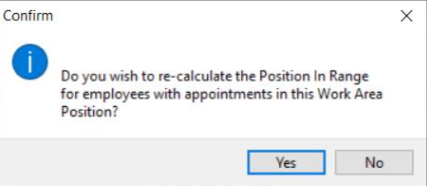
Save and close the WAP. A message will pop up asking if you would like to re-calculate the Position… Click 'Yes'.
This will complete the process of the bulk change.