
The 3.54A release updates MYOB Ace Payroll to comply with legislative changes that take effect from 1 April 2026.
You can install this release before 1 April 2026. The legislative changes aren’t activated in MYOB Ace payroll until the relevant date, e.g. changes to tax codes are applied when you run a pay ending on or after 1 April 2026.
Installing your upgrade
To download and install the latest version from within MYOB Ace Payroll:
-
Back up your payroll data to an external drive or Ace Payroll online.
You may need to be a windows administrator to do this. -
Go to Utilities > Ace Payroll Online > Download an Upgrade.
-
Follow the on-screen installation instructions.
When the upgrade is complete, MYOB Ace Payroll will restart automatically. -
After Ace Payroll has restarted, press F5 and to confirm that you've successfully upgraded to version 3.54A.
If you need to download the latest installer, go to MYOB Software Downloads.
ACC rates and thresholds
MYOB Ace Payroll will apply the following ACC changes from your first pay period with an end date on or after 1 April 2026:
|
|
2025-26 tax year value |
2026-27 tax year value |
|---|---|---|
|
ACC earner levy rate |
1.67% |
1.75% |
|
ACC income maximum |
$152,790 |
$156,641 |
|
Maximum ACC earner levy |
$2,551.59 |
$2,741.22 |
Public holidays update
Public holidays for 2026 have been added to MYOB Ace Payroll’s public holidays calendar.
Minimum wage changes
MYOB Ace Payroll will apply the following ACC changes from your first pay period with an end date on or after 1 April 2026:
|
|
2025-26 tax year value |
2026-27 tax year value |
|---|---|---|
|
Adult |
$23.50 |
$23.95 |
|
Starting and training |
$18.80 |
$19.16 |
KiwiSaver changes
-
Minimum contribution rates increase from 3% to 3.5% for employees and employers. This includes super complying funds.
-
Optional rate reductions – Employees can apply for a temporary rate reduction from the new minimum contributions, allowing them to stay at 3% for three to twelve months. These reductions can be applied for any number of times.
-
Employees aged 16 or 17 who are already enrolled in KiwiSaver become eligible for compulsory employer contributions. Employees under 18 will not be automatically enrolled – they need to request to join with a KiwiSaver provider.
What you need to do to comply with KiwiSaver changes
For more details about updating rates and adding rate reductions, see KiwiSaver contribution rates.
-
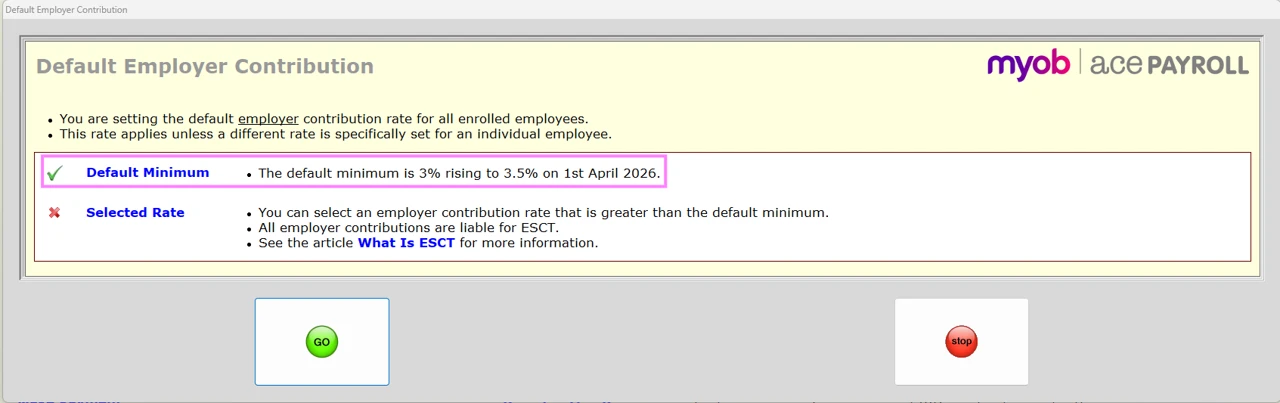
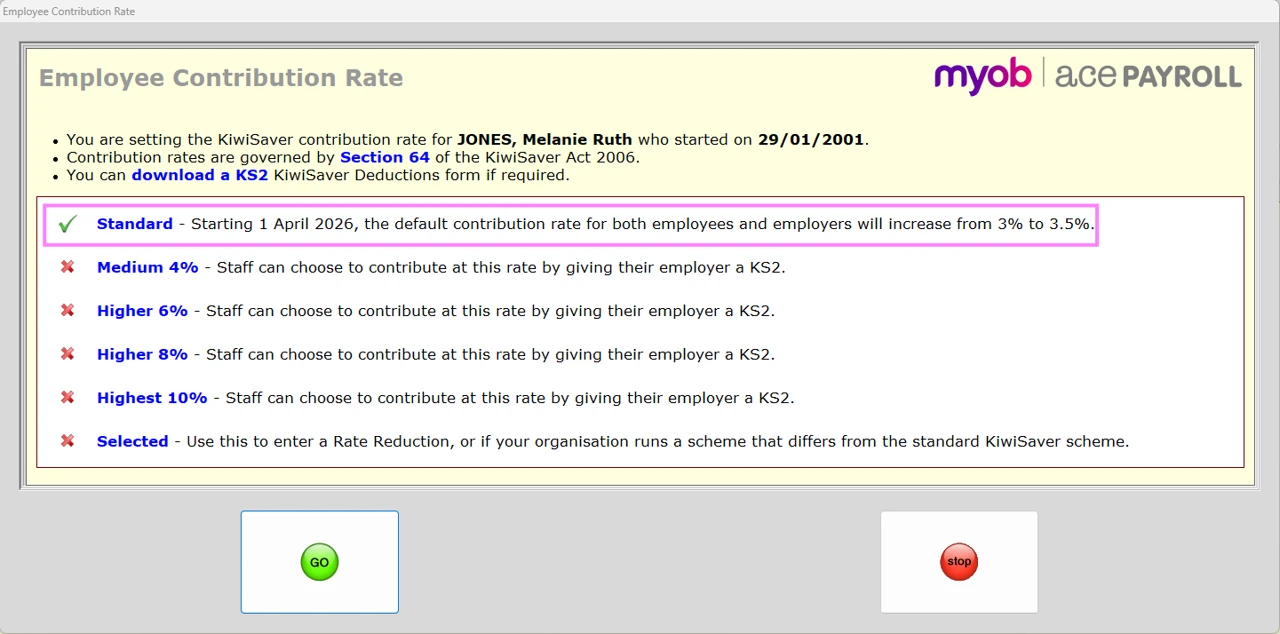
On 1 April 2026, MYOB Ace Payroll 3.54A will increase the Default Minimum employer contribution and the Standard employee contribution rates to 3.5%. You don’t need to manually update any employees with these options selected.
-
If an employee has been set up with a Selected rate of 3% and they haven’t received a rate reduction, manually update their contribution rates to 3.5%.
-
If an employee has received a rate reduction, manually update their contribution rate to 3%.
-
For employees aged 16 or 17:
-
Before processing the first pay that will be paid on or after 01 April 2026, you must add the KiwiSaver Employer Contribution to any employees who are already enrolled in KiwiSaver and are aged 16 or 17.
-
For any employee aged 16 or 17 already enrolled in KiwiSaver who has either Company Default or Default Minimum set as their Employer Contribution Rate, the rate will automatically update to 3.5% from 1 April 2026.
-
If you have any employees who have a voluntary employer contribution set with a Selected Percentage of 3%, you need to manually update their employer contribution rate to 3.5% or change them to a Company Default or Default Minimum setting.
-
-
For super complying finds, manually increase the contribution rate to 3% to 3.5%:
-
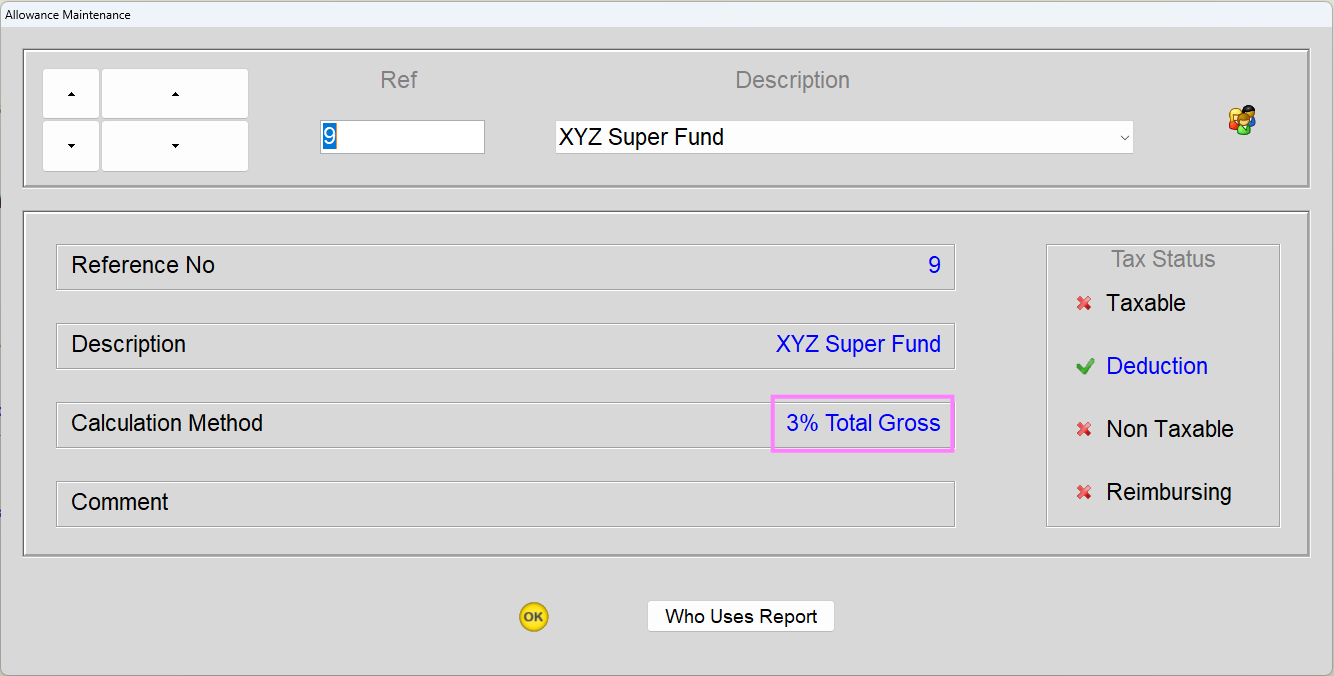
Go to Allowances > Modify.
-
Open a complying super fund allowance and click the Calculation Method.
-
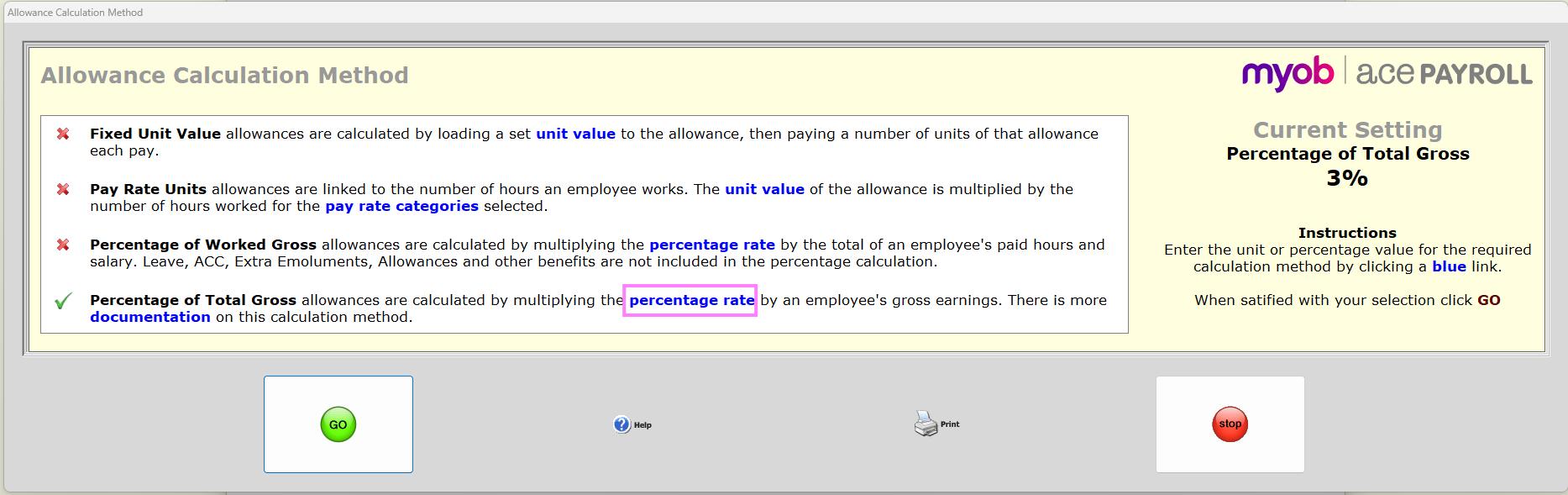
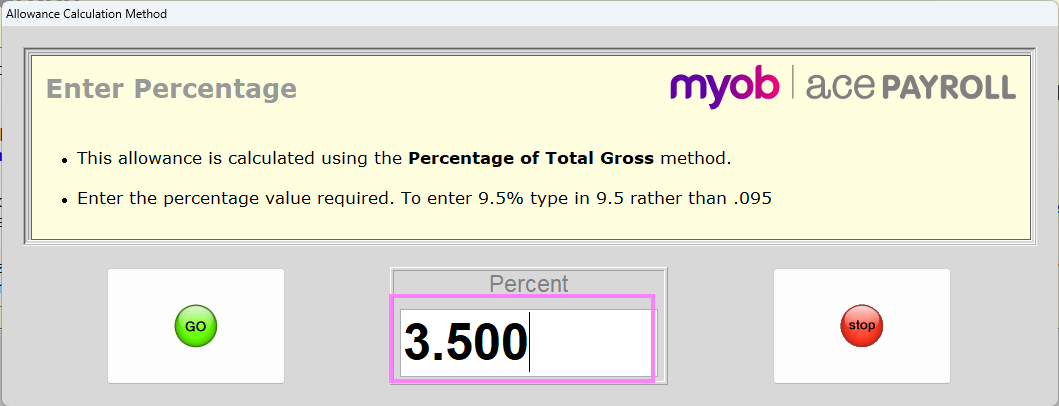
On the Allowance Calculation Method window, click percentage rate.
-
Enter 3.5000 percent and click Go.
-
Repeat these steps for each complying super fund allowance.
-