Employee contribution rate
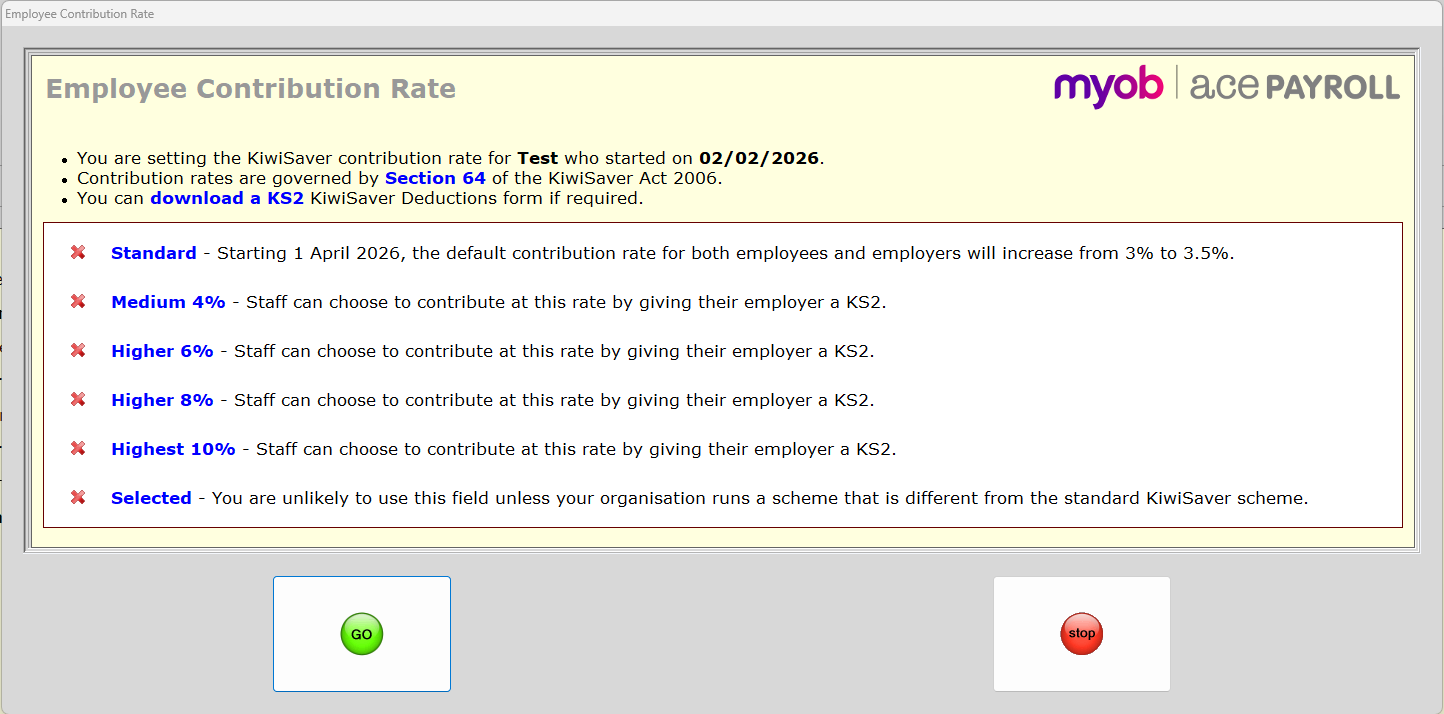
Your employee must contribute a minimum of 3.5% of their gross wage, but they can choose to contribute 4%, 6%, 8% or 10%. They can change their contribution rate by writing you a letter indicating their chosen rate, or by completing a KiwiSaver deduction form (KS2) and giving it to you.
To change an employee contribution rate
-
From the front screen, click Employee > Modify Employee Details > KiwiSaver.
Or, from anywhere in Ace Payroll press the F3 key, then click KiwiSaver. -
Select an employee from the drop-down list at the top of the window.
-
Under Employee Contribution Rate click the rate.
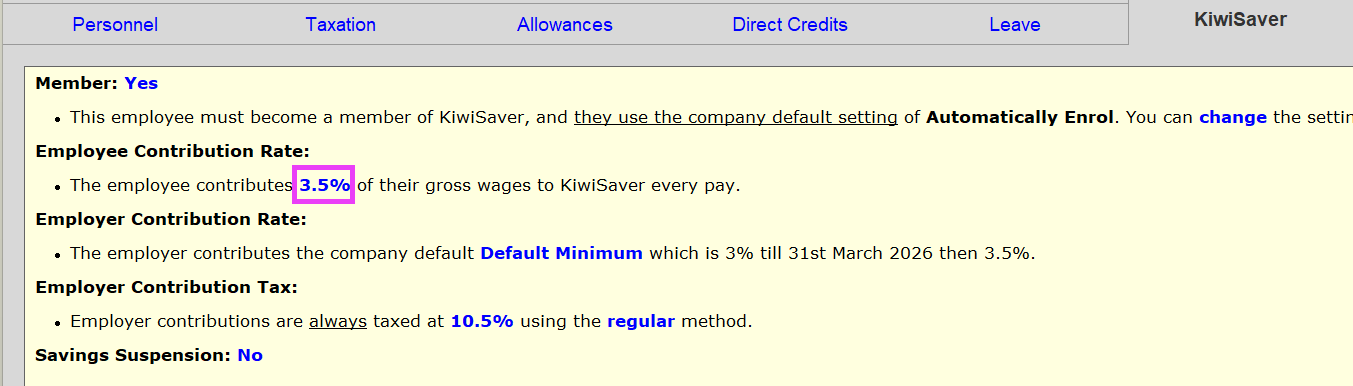
-
The Employee Contribution Rate window opens. Click the correct rate, then click GO.
Employer contribution rate
You must contribute a minimum amount equal to 3.5% of your employee’s gross wage, on top of their contribution.
You may choose to pay more than the minimum to your employees.
There are two ways you can change the contribution you make to your employees:
-
by setting the company default contribution higher, or
-
by setting a higher employer contribution rate for an individual employee using the instructions below.
Ace Payroll automatically deducts tax from the employer contribution. You have the option to pay tax on top of the 3.5% payment, rather than having it deducted from the payment.
See KiwiSaver ESCT calculation for more information on tax.
To change an employer contribution rate
-
From the front screen, click Employee > Modify Employee Details, select an employee then click KiwiSaver.
Or, from anywhere in Ace Payroll press the F3 key, then click KiwiSaver.
-
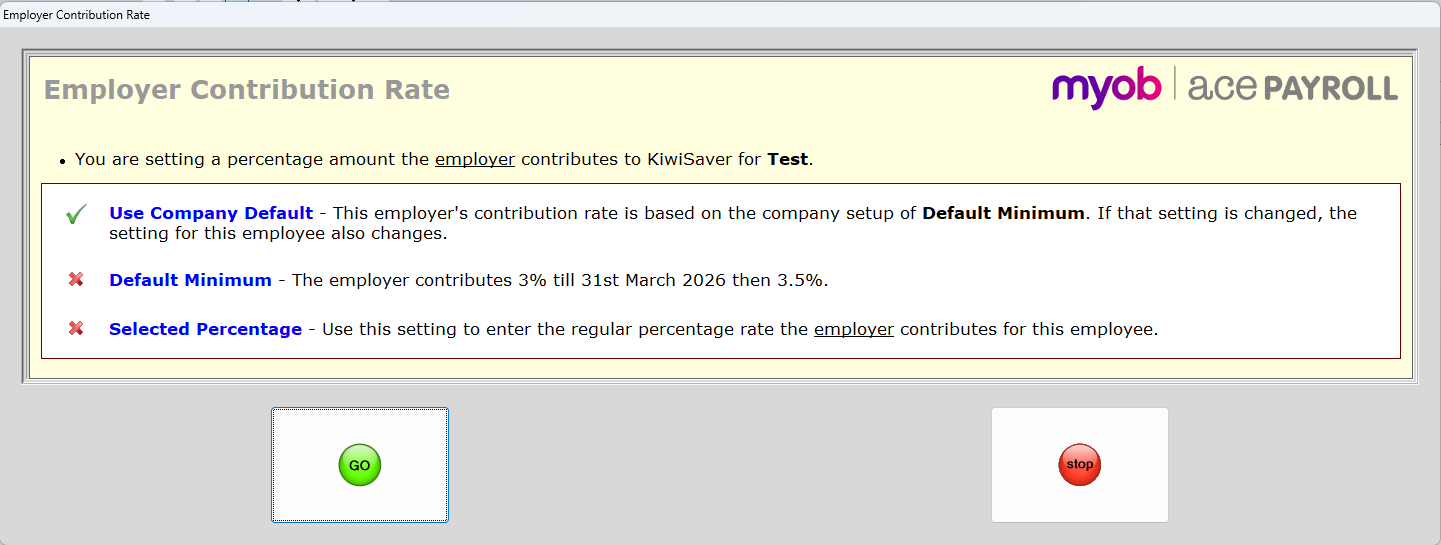
Under Employer Contribution Rate click the rate.
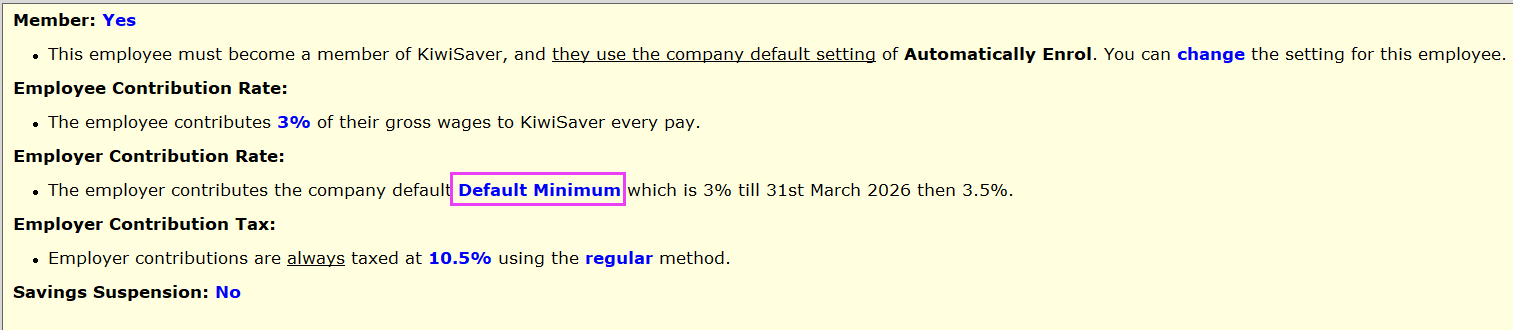
-
The Employer Contribution Rate window opens. Click the correct rate, then click GO.
Rate reductions
If an employee wants to contribute less than the minimum KiwiSaver amount when they get paid, they can request a rate reduction from Inland Revenue (IR).
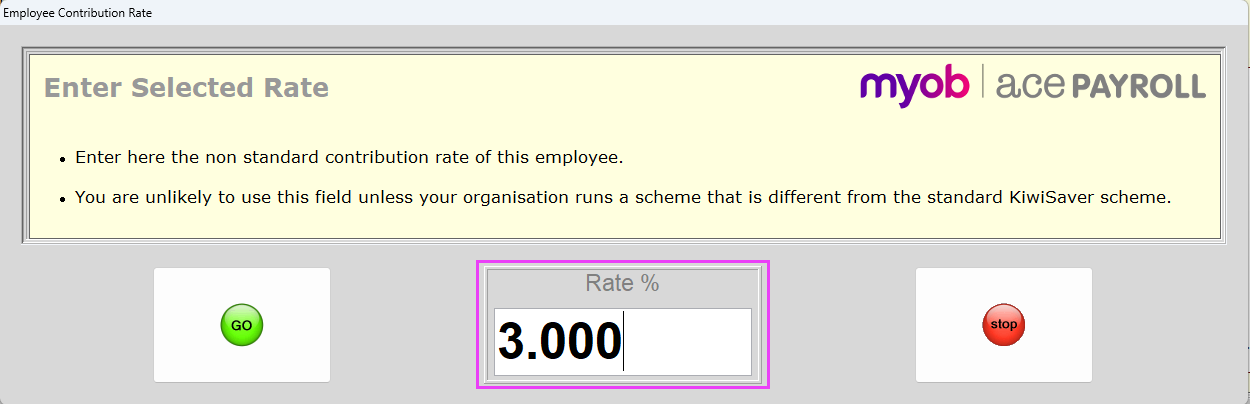
IR will let you know if an employee's rate reduction is approved. You then need to enter a selected KiwiSaver rate of 3% for that employee on the Employee Contribution Rate screen.
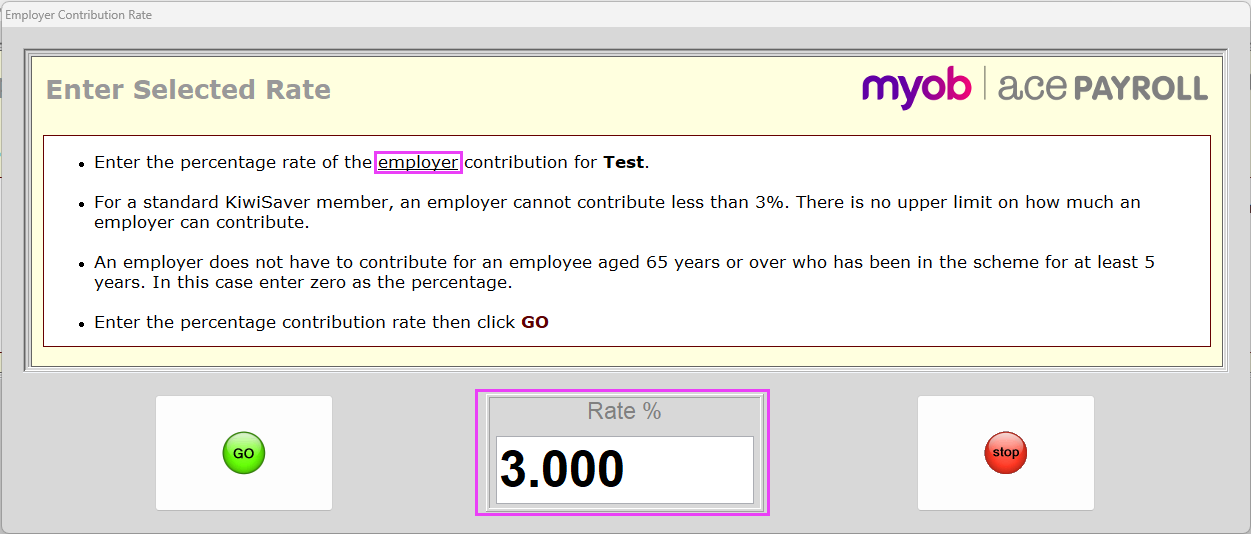
To match the employer contribution with the employee’s reduced 3% contribution, you also need to enter a selected KiwiSaver rate for them on the Employer Contribution Rate screen.
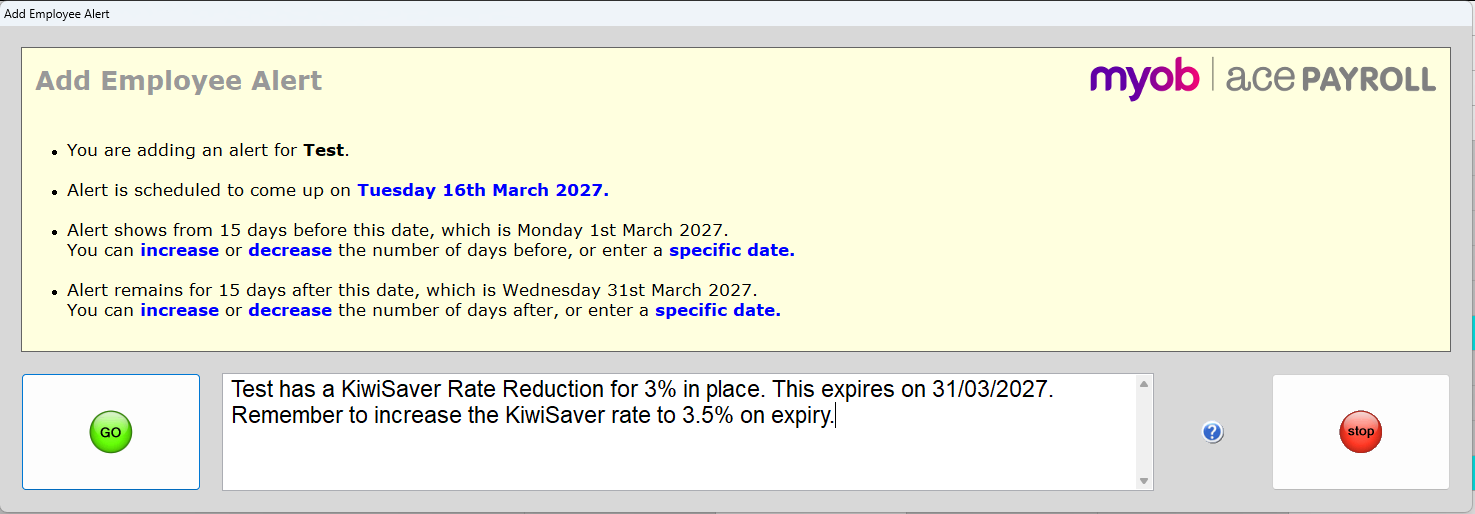
Add an employee alert for rate reduction expiry
Because a rate reduction is only temporary, we recommend setting up an alert for when an employee's exemption will expire.
You can add an employee alert from the Calculate Pays screen.