
If superannuation transactions are missing from STP and/or Superannuation reports, it’s often because of either an inactive super record or an allowance that wasn’t linked to the correct super fund when processing payroll.
If the allowance wasn’t attached to the super fund at the time the original pay was processed, you’ll need to correct this by reversing the original transaction in a manual pay, then re-entering the allowance ensuring that the Super Fund Code is attached in a second manual pay.
Use the steps below, making sure that the reversal matches the details of the original transaction once you have determined why the Super Fund Code was not attached to the original transaction.
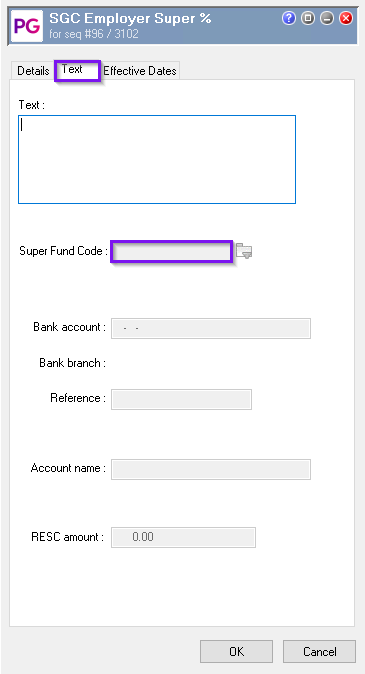
The Original Transaction’s Text Tab:
Step-by-Step Process
-
Inactivate the Employee’s Superfund
-
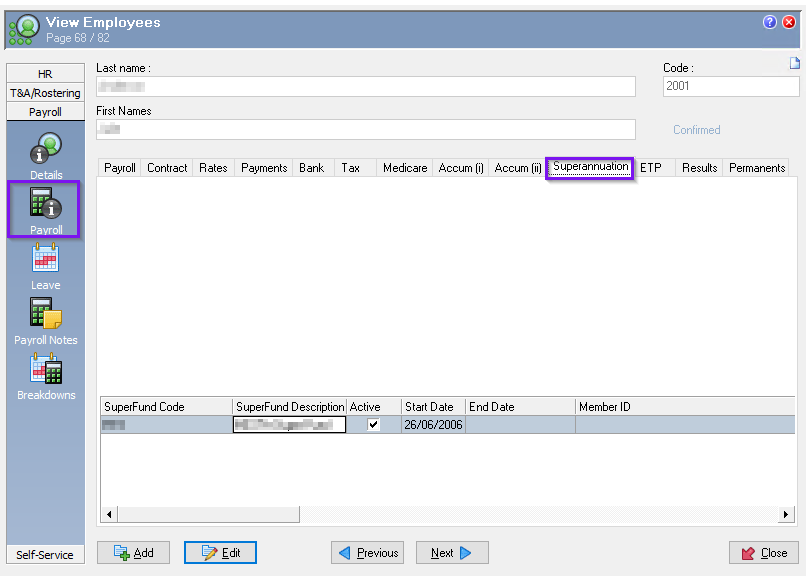
Navigate to the superfund settings for the affected employee.
-
Open the employee, go to the Payroll / Superannuation tab.
-
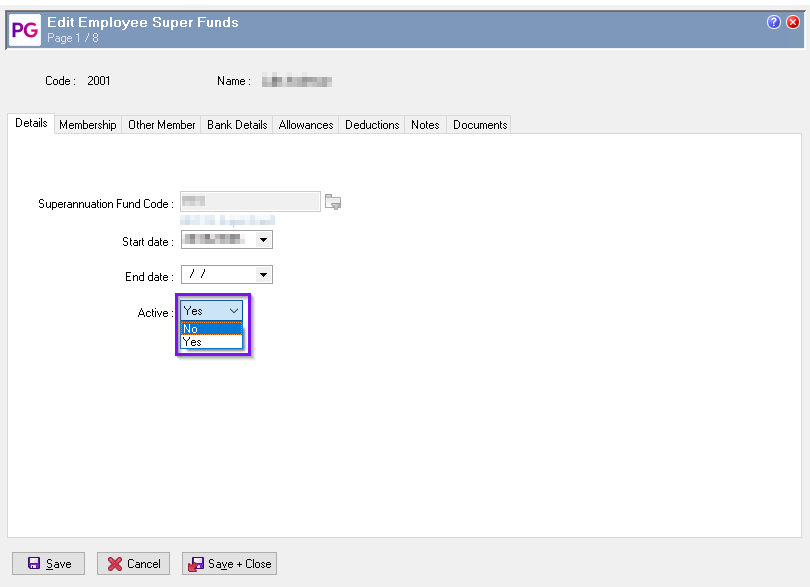
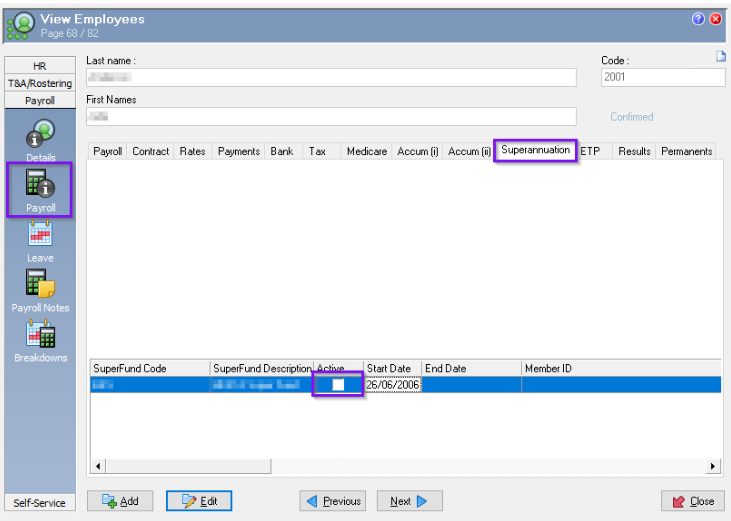
Set their superfund status to inactive going into edit mode.
-
Open Manual Pay and Reverse the Allowance Transaction
-
Open manual pay
-
Match accumulators to original pay
-
Create a reversal of the original allowance transaction that needs adjustment.
-
Save the changes.
-
Process and Close the Manual Pay Run
-
Verify the reversal has been properly recorded.
-
The reversal should not include a superfund code, matching the original transaction’s treatment.
-
Finalize and close this manual pay run.
-
Reactivate the Employee’s Superfund
-
Return to the employee’s superfund settings and reactivating following the reverse of step 1.
-
Reactivate the previously inactivated superfund for this employee ensuring the required allowance is attached (if applicable).
-
Open a New Manual Pay and Re-enter the Allowance Transaction
-
Initiate a new manual pay run for the same employee.
-
Update the accumulators to original pay
-
Re-enter the original allowance transaction details as required.
-
Confirm that the superfund field now populates automatically on the Text tab of the transaction, as the superfund is active.
-
Process and close this pay run.
Key Points
-
Two separate manual pay runs are necessary: one for the reversal with the superfund inactive, and one for the reprocessed transaction with the superfund active.
-
If changes were made to a sequence in the prior financial year, accumulators will need to be rebuild for the affected employee’s, see Rebuilding accumulators