Problem Description
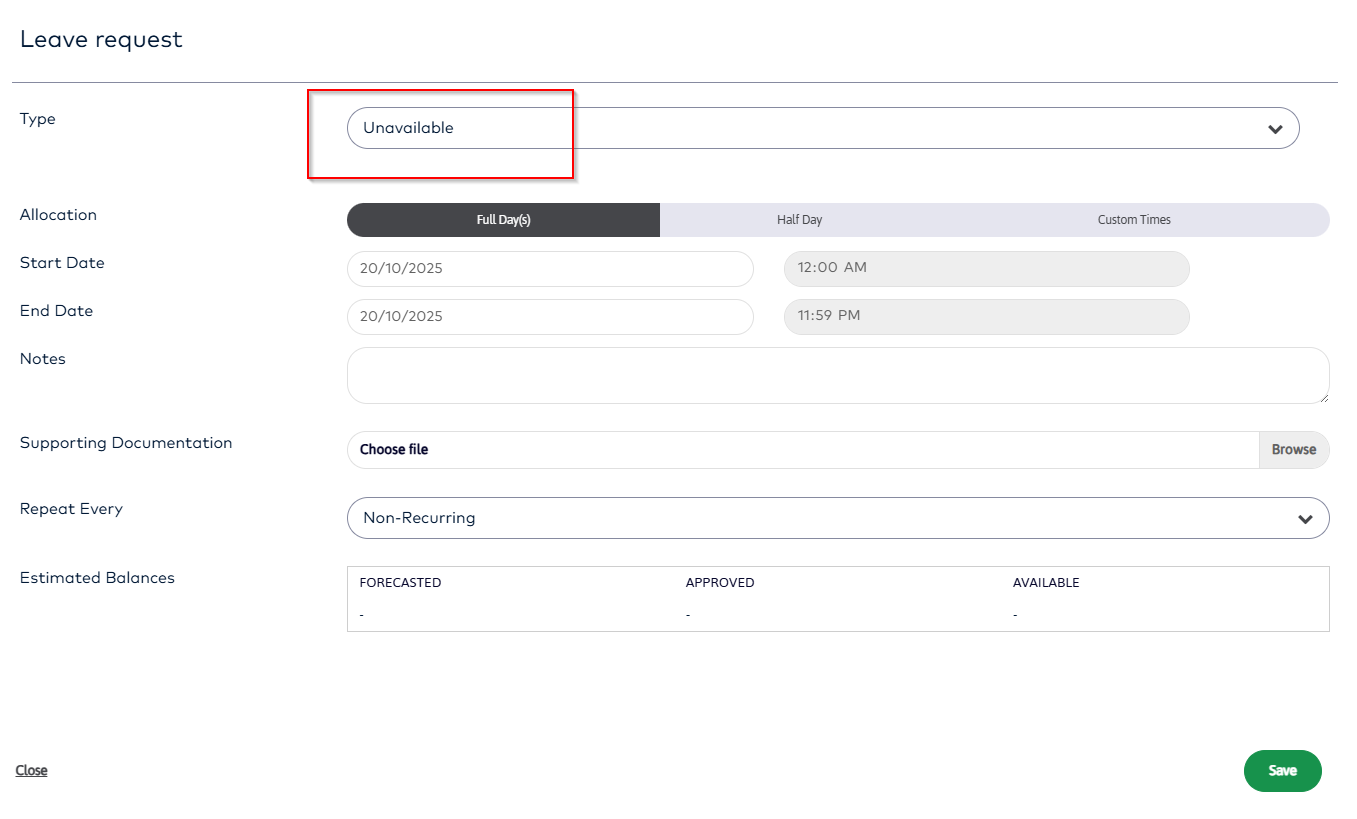
When an employee applies for Leave they may only see the type “Unavailable”
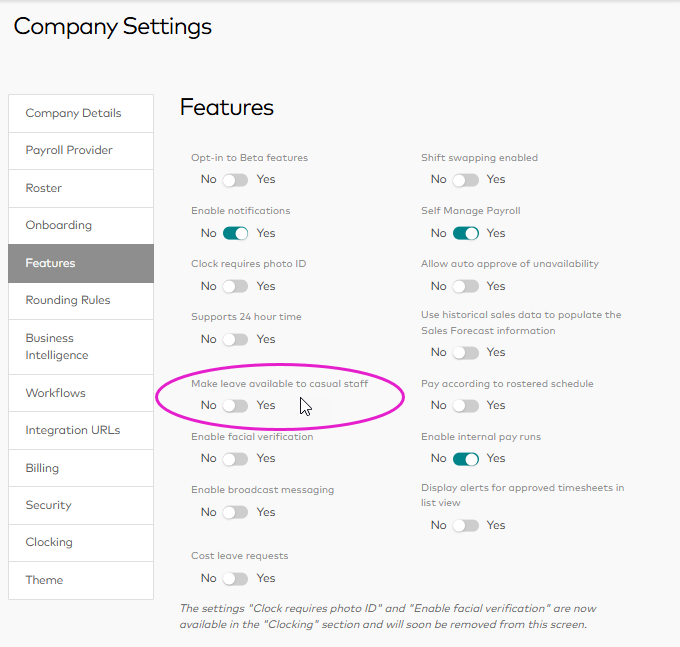
This happens for Casual employees if the company does not have the option “Make leave available to casual staff” selected in the Company Settings screen
Resolution
If you need causal employees to be able to apply for leave in MYOB Acumatica Workforce Management then an Administrator user needs to go to:
Management > Settings > Company Settings > Features
And select Make leave available to casual staff