If a Pay Sequence doesn’t show up (or totals look wrong), run through these quick checks.
Likely causes and quick checks
-
The pay wasn’t fully processed via Process Pay (All Transactions), or it was processed using Changed Transactions only; some reports only include fully processed/closed pays and require them for correct totals.
-
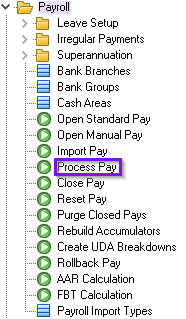
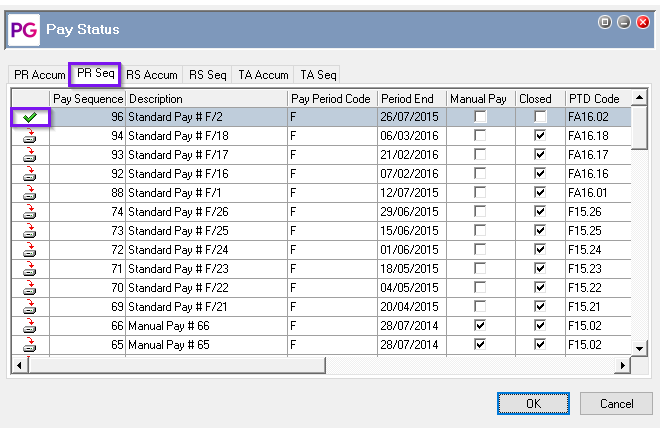
What to check: reprocess as a full pay and confirm the sequence is fully processed. You can check this by reviewing the pay status, if there is a red X it has not been fully processed, a processed pay will show a green tick. If it is not showing as fully processed make sure there are no employee queries active and reprocess:

-
The report is configured to include closed pays only; several standard reports list only closed pay sequences in the selector.
-
What to check: confirm whether the pay is closed or choose a report/setting that includes open pays. You can check the standard Reports Catalogue to review requirements: Standard Reports Catalogue
-
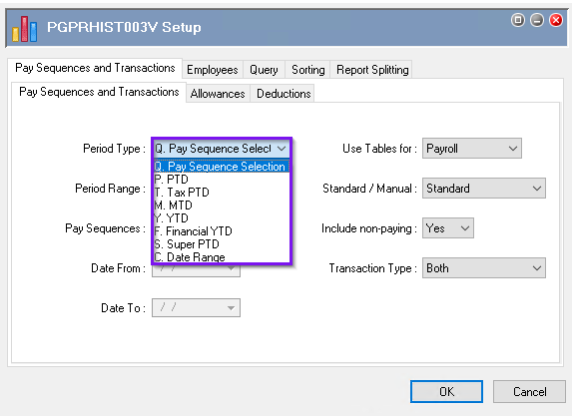
Wrong Period Type selection on the report. If you choose C. Date Range, results are driven by Period End dates of sequences within that range (not actual leave/transaction dates). If you choose Q. Pay Sequence Selection, you must explicitly select the target closed sequence(s).
-
What to check: confirm you picked the intended period type and date range, or select the exact sequence(s).
-
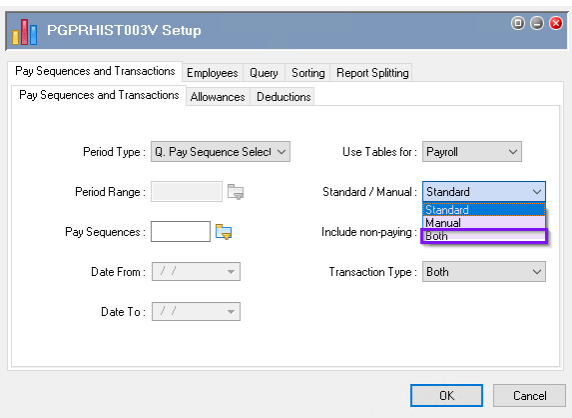
Report settings exclude manual pays.
-
What to check: review the report filters and enable inclusion of manual pays if needed.
-
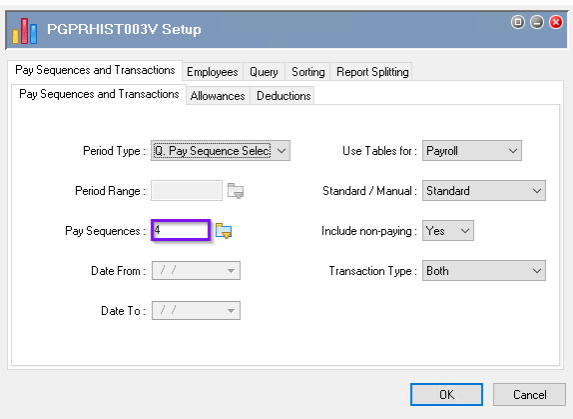
The Pay Sequences selector includes multiple periods; the indicator “>1” means you’ve added more than one pay, which can hide the result when scanning for a specific sequence.
-
What to check: set the selector count to 1 and pick only the single target pay.
Missing Employees
-
Employee or report-level filters exclude the data. Leaving the Employee field blank includes all employees; filters like Department, Location, or Dimensions can exclude the target pay’s results if mis-set.
-
What to check: clear Employee to blank and review/remove Department/Location/Dimensions filters to ensure the target employees are included
-
A Query used during processing or viewing is too restrictive. When processing, it’s recommended to use a Query aligned to the pay period type; for reports, confirm you’re not filtering employees out unintentionally.
-
What to check: temporarily run the report without a Query (or with a broad, pay-period-aligned Query) and verify the target employees are included.
PaySlip reports
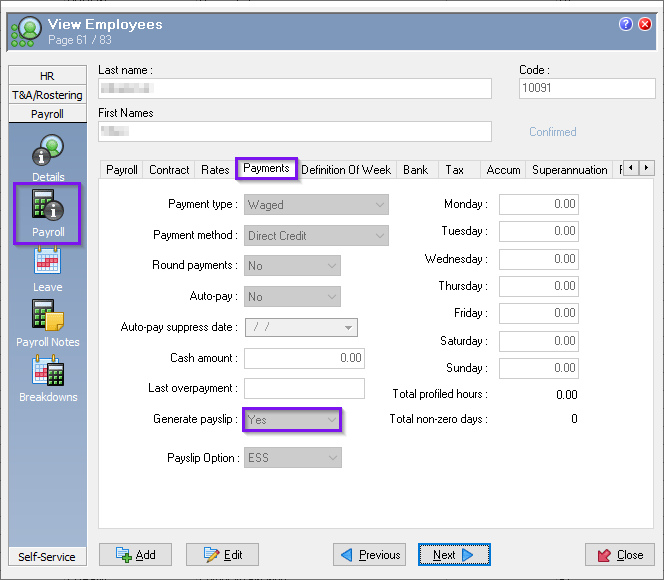
If an employee is specifically missing from PaySlip report, ensure that Generate payslip is set to Yes on the employee record under Payroll > Payments: