
You cannot delete a Period/Calendar item if T&A and/or Rostering Sequence has been opened or closed for the Period being deleted.
Un-Opened, unwanted and unused periods can be a nuisance when trying to open future pays. If the Period Calendars are not required, you can delete them from PayGlobal. This article will step you through deleting these Period Calendars.
Go to Organisation > General Periods > Periods.
Enter the Period and go to the Calendar tab.
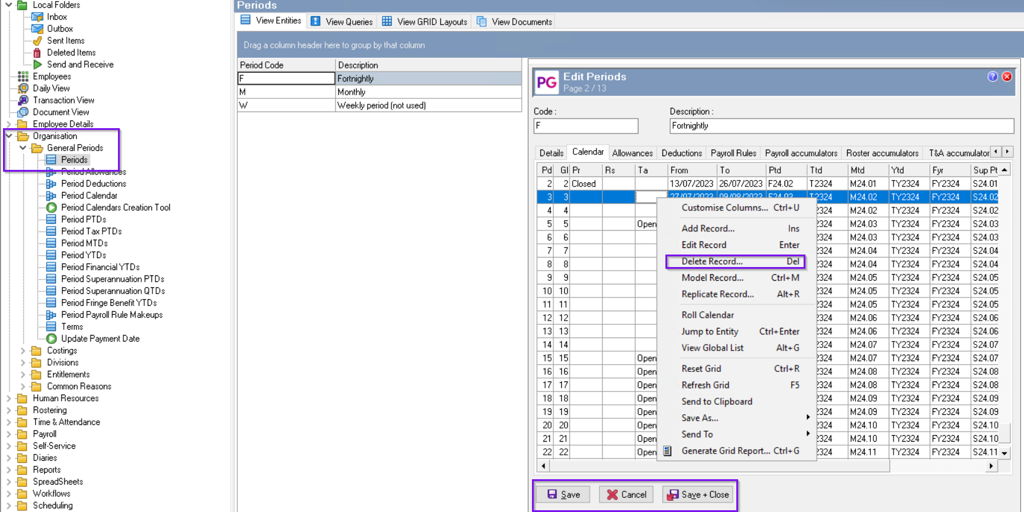
Edit the record, right-click on the period you want to delete. select 'Delete Record...'
Once the Period Calendar(s) is deleted, Save and close the Period.
The unwanted Period Calendar(s) will no longer be available when you select Open Standard Pay.