
To improve security, we’ve made changes to password management for MyStaffInfo. You don’t need to install any upgrades to receive these changes.
The changes also don’t require employees to set a new password – you can continue to log in with the same password you were already using.
Employees now change their own MyStaffInfo website password
Payroll administrators can no longer use the MYOB Exo Employer Services desktop app to manage employee passwords for the MyStaffInfo website.
Instead, employees can now change their own password by clicking Change Password at the top right of MyStaffInfo.

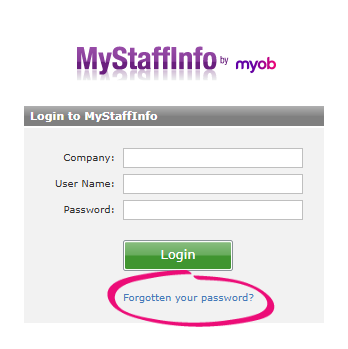
And if an employee can’t log in because they’ve forgotten their password, they can click Forgotten your password? on the login page to set a new password.
Managing the payslip PDF password in Exo Employer Services
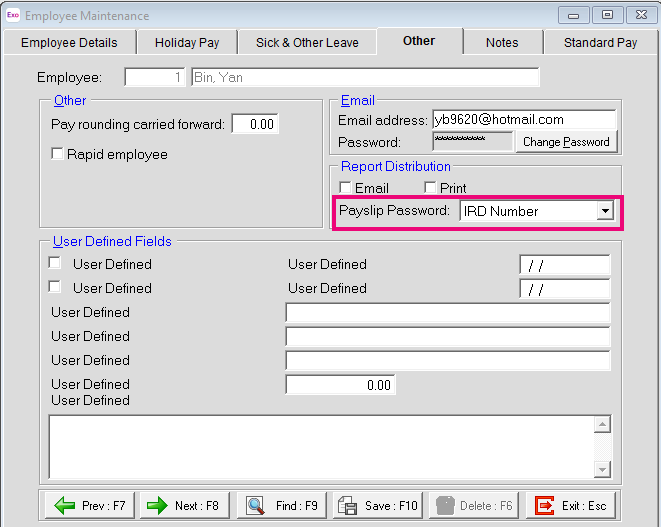
Now, only payroll administrators can manage the payslip PDF password in the MYOB Exo Employer Services desktop app. The Payslip Password field is available on the Other tab of the Employee Maintenance screen.
Existing employees can still open older payslips with the password that was valid when those payslips were generated.
Passwords for new MyStaffInfo employees
When onboarding a new employee, a payroll administrator creates the employee’s password before setting them as a MyStaffInfo user. This password is used for both the payslip PDF and for the MyStaffInfo website. It will be uploaded to the website during the first synchronisation, after which the new employee can log in.