After upgrading to MYOB Exo Employer Services 2026.01, you’re ready to update your payroll settings to comply with KiwiSaver changes. To learn what’s changed, see the 2026.01 release notes.
Update default KiwiSaver employee and employer contribution rates
Before updating rates make sure you have completed any pays with a payment date in March. Rates only increase for any pays with a payment date from 1 April onwards.
-
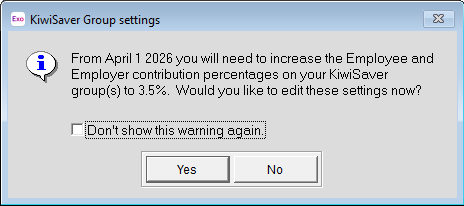
Log in to MYOB Exo Payroll. You get a message about updating rates.
-
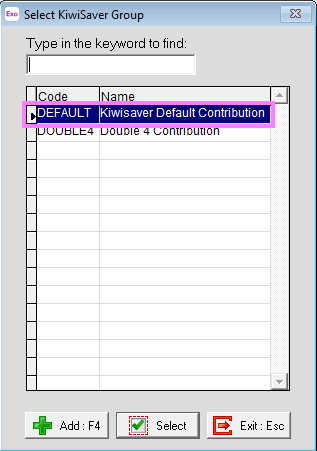
Click Yes to open the Select KiwiSaver Group window. You can also open the window later by going to Maintenance > KiwiSaver Groups.
-
Select the KiwiSaver groups with 3% contribution rates. You don’t need to update groups with rates higher than 3%.
-
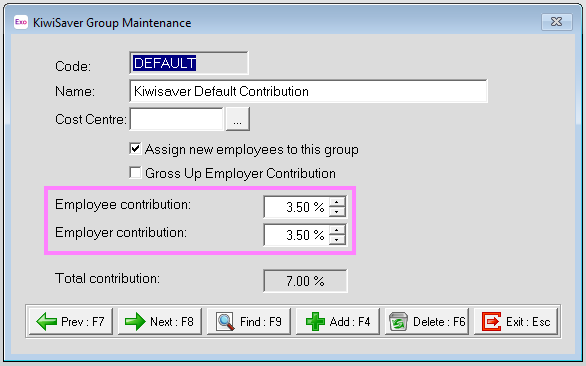
Update the Employee Contribution and Employer Contribution to 3.50%.
Add employer contributions to newly eligible employees
From 1 April 2026, employees aged 16 or 17 who have opted in to KiwiSaver are eligible for compulsory employer contributions. Before processing the first pay that will be paid on or after 01 April 2026, make sure that these employees have been added to a KiwiSaver group with an employer contribution of 3.50%.
Update super complying fund deductions
Before updating rates make sure you have completed any pays with a payment date in March. Rates only increase for any pays with a payment date from 1 April onwards.
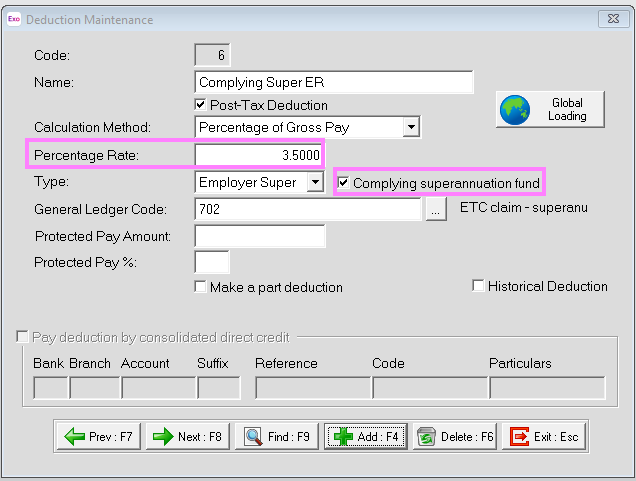
Go to Maintenance > Deductions and update the Percentage Rate to 3.5% for any relevant complying super fund deductions.
Add a rate reduction to approved employees
If an employee wants to contribute less than the new 3.5% minimum KiwiSaver amount when they get paid, they can request a rate reduction from Inland Revenue (IR). IR will let you know if an employee's rate reduction is approved. You'll then need to update the employee's KiwiSaver group.
Rate reductions have a start and end date
IR will tell you these dates. Ensure that the employee’s KiwiSaver Group is updated before the first pay that will be paid on or after the start date.
For members of a KiwiSaver group
-
Go to Maintenance > KiwiSaver Groups
-
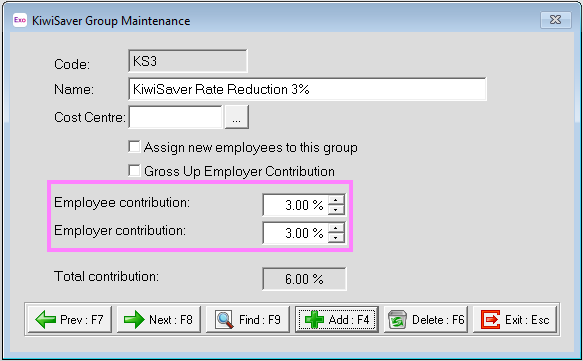
Create a new KiwiSaver group for rate reductions
-
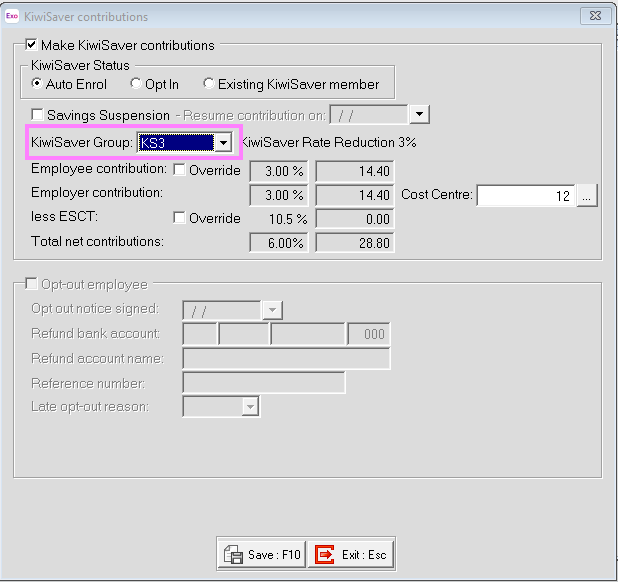
Assign the KiwiSaver group you created to any employees with a rate reduction.
-
Save your changes.
-
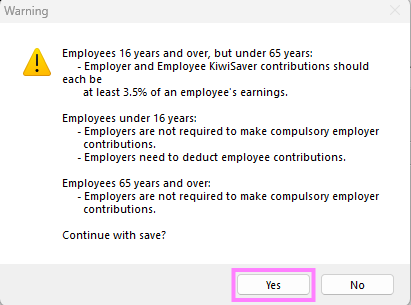
Read the warning about KiwiSaver rates. If the employee has an approved rate reduction, click Yes.
Create notes to remind you about rate reduction expiry
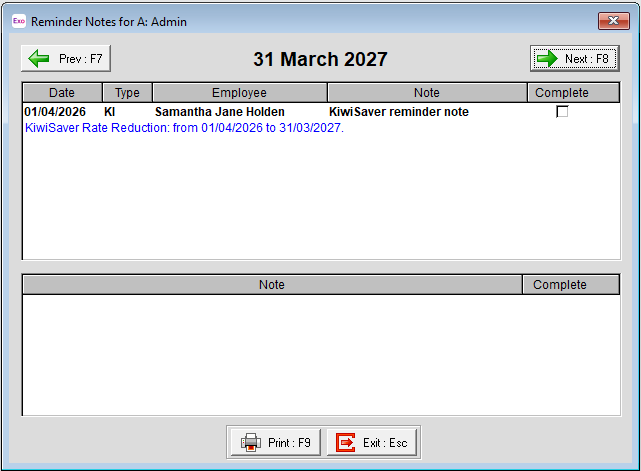
Because a rate reduction is only temporary, we recommend creating a KiwiSaver note on the Employee Maintenance screen to remind you a few days before the rate reduction is going to expire.
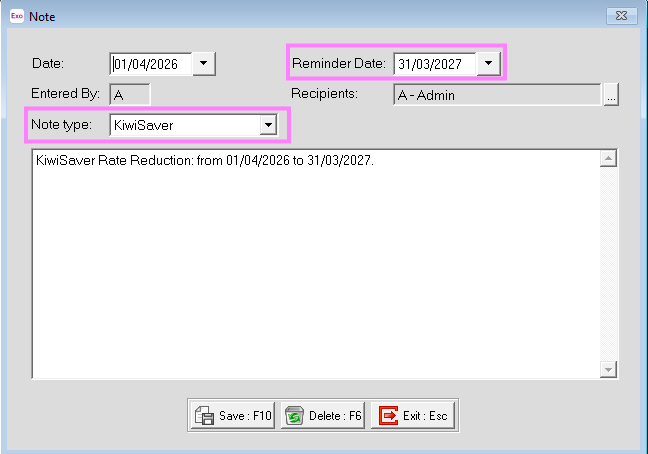
On the reminder date, the reminder pops up when you log in. It keeps popping up when you log in until you mark it as complete. You can also see reminders by going to the Help menu and choosing Show Reminders.