
With version 25.4 we're ending the UI transition period to allow us to focus on other improvements — the new UI is now the default, and the option to switch to old user interface has been removed.
We've made some further UI upgrades, including a new login page, as well as improvements to how you work with signed documents, more control over multi-factor authentication, made it easier to share information with partners and support, updated our Flare integration and made a number of other refinements and bug fixes.
What’s new?
The transition to the new user interface is complete
As well as updating some buttons to make them consistent with the updated user interface, we're removing the option to switch to the old user interface.
All users will have the new user interface as the default (and only) user interface option, and the Switch UI button has been removed. This change allows us to focus on improving Roubler's features without testing changes on two different versions of the site.
New look login page:
-
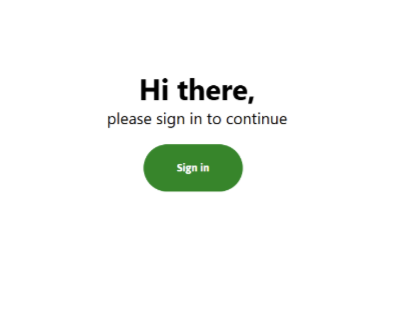
Once you get to the login page, you will see the new Sign In screen
-
Once you click 'Sign in' a pop up window will appear for you to enter your user details
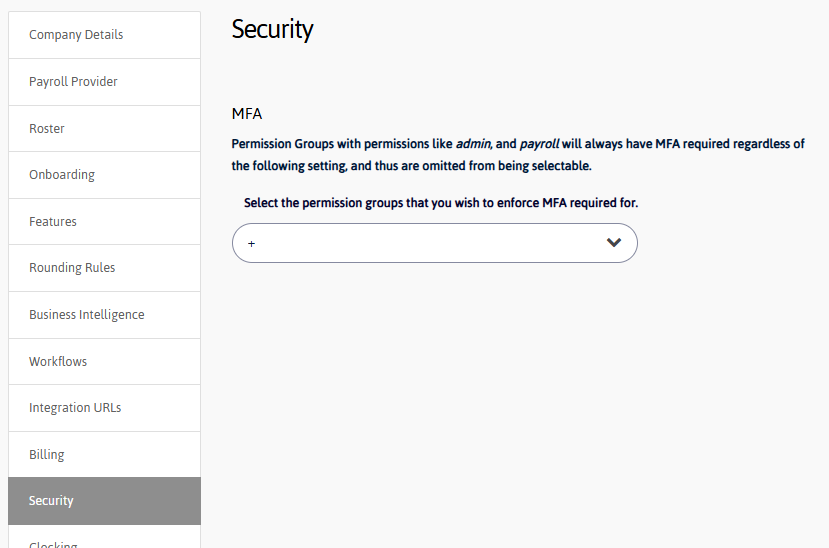
Enforce multi-factor authentication (MFA) at the permission group level
To give you more flexibility around security, we've added the option to choose which permission groups are required to sign in with MFA.
Permission groups with access to sensitive employee information will still be required to use MFA, both to protect the employees and comply with regulatory standards.
To update this, go to Settings > Company Settings > Security.
Signatures are now printed on documents
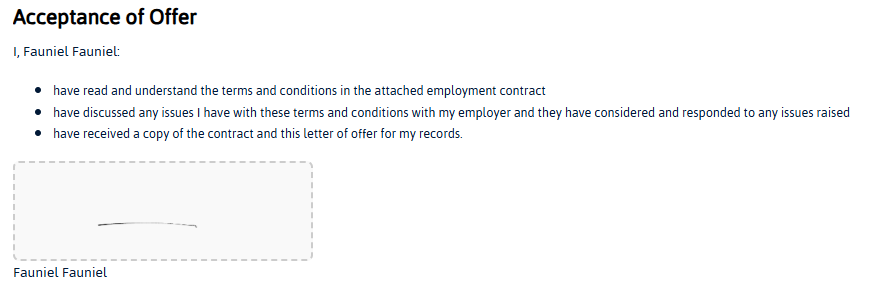
To make it easier to see who has and hasn't signed a document, and so they appear on printed copies, signatures will now be printed at the bottom of documents.
Documents sent from templates will now show the signatures of everyone who has signed the document at the bottom of the page, and placeholder spaces for those who haven't, making it easy to see who hasn't signed yet.
Updated Flare integration
To reduce the manual workload and make sure your employees can access Flare benefits, we've made some improvements to the integration:
-
Flare termination processes now use the Flare v2 API for improved reliability.
-
When rehiring a terminated employee, you can now create the employee’s Flare profile automatically.
-
We've added an onboarding step specifically for Flare Benefits, allowing onboarding users to opt-in if they choose.
Permission change: Bulk modify timesheets
To give managers the option to modify timesheets in bulk without giving them access to sensitive payroll information, we’ve changed the permission that governs this from Basic Payroll Management to Create and update timesheet.
Now, any users with the Create and update timesheet permission will be able to see the Modify option from the Bulk actions menu in the Manage Time screen.
Other changes
-
Shifts added via Standard Hours will now automatically have cost centres assigned, reducing manual updates and errors.
-
Probation alerts no longer appear if an employee has been terminated.
-
Multi‑page PDF viewing is now supported on iOS web browsers for a smoother mobile experience.
-
Added a work type filter to the roster to help managers plan shifts more precisely.
-
Added a work type column and filter to timesheets for better reporting and review.
-
During employee onboarding, the Medicare Levy Declaration and Tax Withholding Declaration options are now hidden (where applicable) to streamline the process and reduce confusion.
-
Added a web application firewall (WAF) to the GraphQL service to enhance protection against malicious traffic and common web threats.
Fixes
-
Improved employee address validation to prevent profile errors.
-
Corrected break time display in the Lateness report so breaks show accurately in all cases.
-
Resolved an issue where company administrators could not apply global templates to their company.
-
Fixed an issue where users without Add Expense Request permission could still see the Add button.
-
Fixed recording of invalid shift enjoyment value when adding clocks via the Populate Demo Data feature.
-
Performance improvements to the Lateness Report including a new maximum 31‑day date range limit applied where appropriate for stability and speed.
-
Removed excess empty space to the right of the employee list, permission groups, shift request report, and shift summary report tables for a cleaner layout.
-
Fixed the employee address validation that was breaking the Address tab in the employee profile.
-
Fixed adding/editing a paid break on timesheets to ensure accurate time capture.
-
We’ve fixed an issue that was causing an internal server error when large numbers of timesheets on the Manage Time screen.
-
We’ve fixed an issue with the NZ tax code failing to update unless the income-tested benefit option is toggled.
-
An issue that was preventing new employees from completing onboarding when their location was set has been resolved.
-
You can now print all pages of the timesheets page using your browser’s print option.
-
Problems onboarding employees who have previously had a Roubler account have been resolved.
-
Fixed an issue that was sending users back to the dashboard.
-
We’ve made it so managers can access the documents of terminated employees.
-
Fixed an issue where refreshing the sign in page could display an error message.