
Go to Management > Reports > Employee > Employee Sync.
This report displays any issues that occurred when Advanced Workforce Management attempted to send employee information to Advanced Payroll.
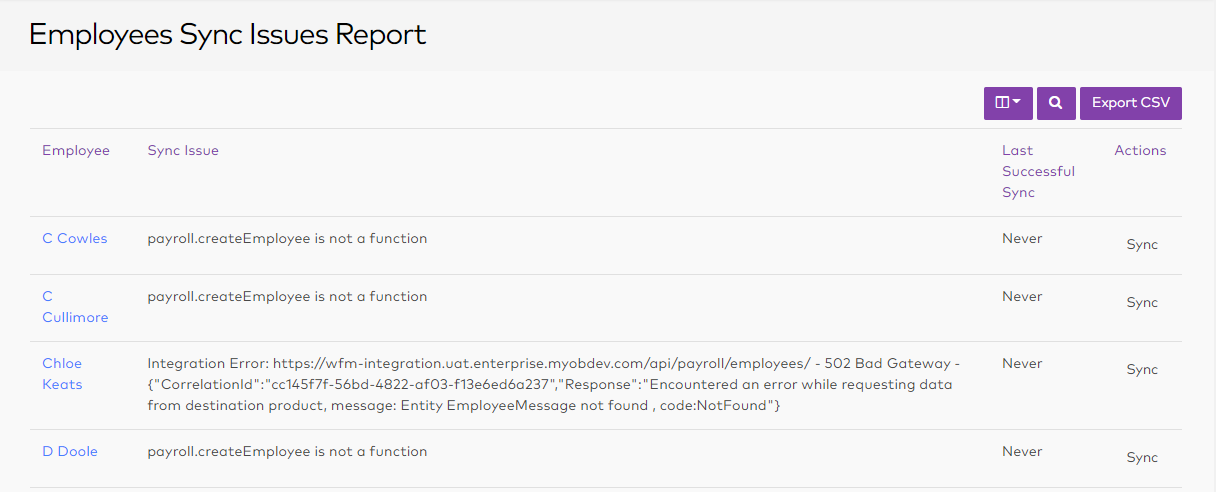
If the sync failed because of a connection or setup issue, click the Sync link in the Actions column to resend the employee information to Advanced Payroll.
If the sync failed due to errors in the employee’s data, e.g. the employee has the wrong postcode for their country, a manager should update the employee’s record on the Employees screen; when they click Update Employee, the system will resync the employee‘s information with Advanced Payroll.
For detailed advice on fixing employee sync errors please see the following article: Fixing employee sync errors